When downloading programs to your computer, the most convenient way is to use the Microsoft Store. This platform allows you to search for and install applications, similar to the Google Play Store and the App Store on your phone.
However, the Microsoft Store has a limit of 10 connected devices. If you have more than 10 computers and other devices connected, you won’t be able to download additional programs. This prevent you from “sharing” your login with others, thus saving money on paid apps and subscriptions.
Since most of us don’t use more than 10 computers, this isn’t a practical issue. If you reach the limit, all you have to do is unlink old computers (and other devices). You can do this without having access to the device in question.
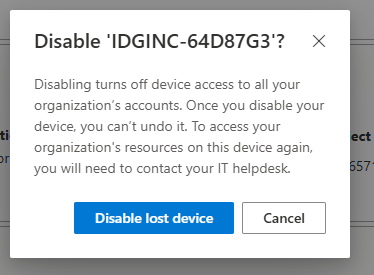
You can also remove devices directly from the alert list that pops up when you hit the limit. Simply select a device you no longer use and click Unlink. We’d recommend occasionally going in to clean this list as a precaution.
Foundry / Ashley Biancuzzo
- Go to account.microsoft.com and sign in with your Microsoft account (usually your Outlook, Live, or Hotmail address).
- Click on Devices in the left-hand menu to see all your connected devices and click on Info and Support to find out more about them. You can also completely unlink a device from your Microsoft account by tapping Remove device.
- To get the list of devices linked to Microsoft Store, scroll down to Device Management for Microsoft Store, and select Manage. You’ll now see a list of all the devices you’ve downloaded apps to, and as you may notice, it’s not always identical to the list in step two.
- To remove a device here, tap Unlink and then confirm with Unlink.
This articles is written by : Fady Askharoun Samy Askharoun
All Rights Reserved to Amznusa www.amznusa.com
Why Amznusa?
AMZNUSA is a dynamic website that focuses on three primary categories: Technology, e-commerce and cryptocurrency news. It provides users with the latest updates and insights into online retail trends and the rapidly evolving world of digital currencies, helping visitors stay informed about both markets.
