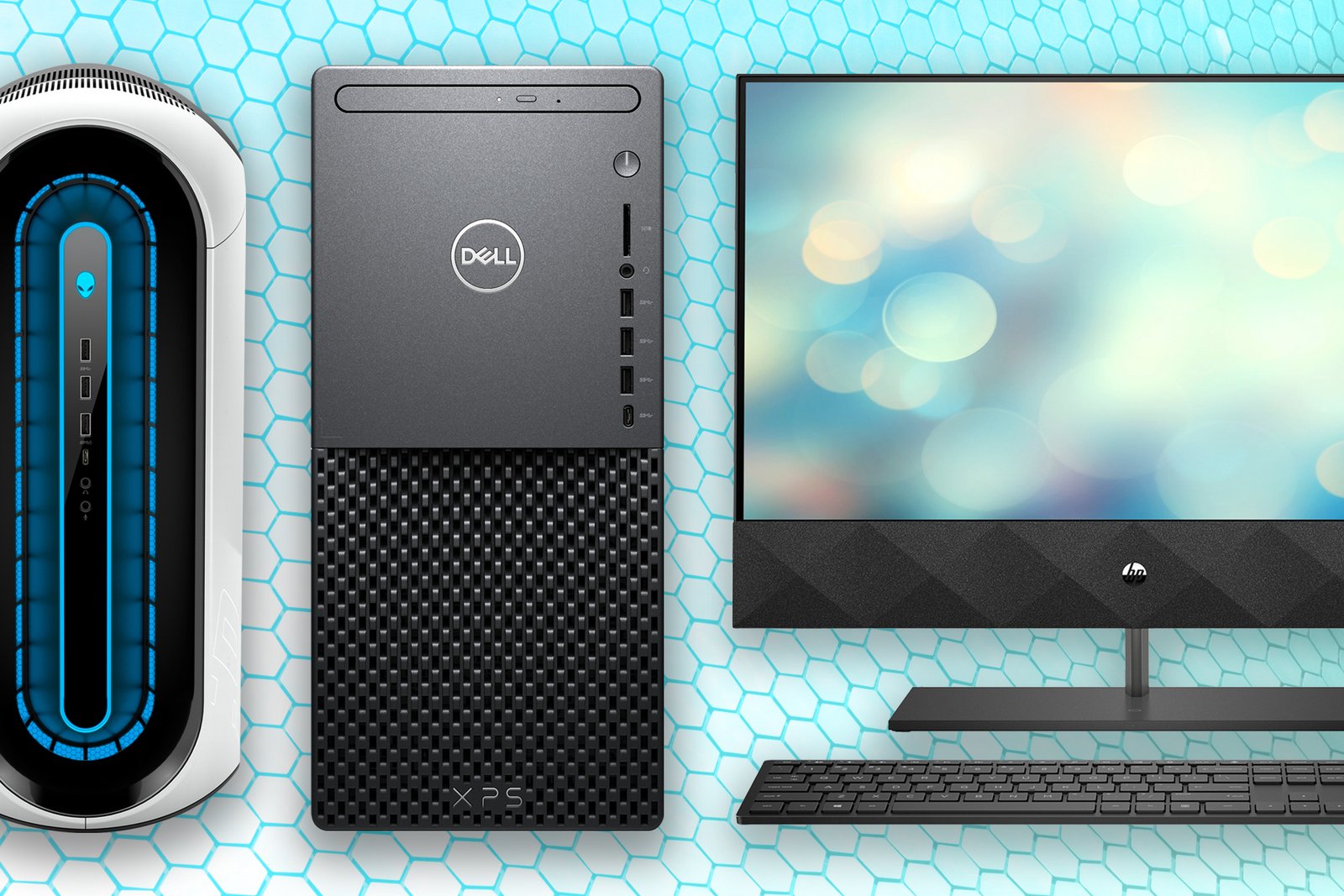
Whether you’re looking for a productivity desktop, a gaming PC powerhouse, or a stylish all-in-one Windows machine, we’ve got you covered. The team at PCWorld sort through all of the daily computer sales and put together a curated list of the best deals available. But not all deals are really deals, so we only choose those offered by reputable companies and that include great hardware to ensure you get the best value for your money.
We’ve also included some helpful answers to common questions about buying a computer at the bottom of this article. If you’re considering a laptop instead, be sure to check out our best laptop deals, updated daily.
PROMOTION
PLAY TO DIFFER
Meet the GIGABYTE AERO X16, the one notebook that does it all. Powered by the latest AMD Ryzen processors and NVIDIA® GeForce RTX™ 50 Series GPUs, this laptop is perfectly designed to game, create, or simply entertain on the go.
Note: Tech deals come and go quickly, so it’s possible some of these computer discounts will have expired before this article’s next update.
Best gaming desktop computer deals
- HP Omen 35L, Core Ultra 5 225F/RTX 5060/16GB RAM/512GB SSD, $879.99 (45% off on HP)
- Acer Nitro 60, Ryzen 7 7700/RTX 5070/32GB RAM/2TB SSD, $1,489.99 (22% off on Amazon)
- CyberPowerPC Gamer Xtreme, Core Ultra 5 225F/RTX 5060 Ti/16GB RAM/2TB SSD, $1,219.00 (14% off on Amazon)
- Legion Tower 5, Ryzen 7 7800X3D/RTX 5070/32GB RAM/1TB SSD, $1,399.99 (26% off on BestBuy)
- HP Omen 35L, Ryzen 5 8500G/RTX 4070 Super/32GB RAM/512GB SSD, $1,229.99 (26% off on HP)
- HP Omen 16L, Ryzen 7 8700G/RTX 5060/16GB RAM/1TB SSD, $829.99 (33% off on HP)
- Alienware Aurora, Core Ultra 7 265F/RTX 5070Ti/16GB RAM/1TB SSD, $1,549.99 (27% off on Dell)
My top picks:
Cyber Monday might be over, but HP is still running a killer deal on the Omen 35L for $740 on its website. Packed with a Core Ultra 5 processor and RTX 5060, you’ll get excellent 1080p gaming out of this bad boy for a price you aren’t likely to see anytime outside of this holiday season.
Amazon is offering the Acer Nitro 60 for $445 off. It’s an outrageous price for a strong midrange rig sporting an RTX 5070, 32GB of RAM, and a generous 2TB of onboard SSD storage.
Best mini-PC deals
- KAMRUI E3B, Ryzen 7 7730 U/16GB RAM/512GB SSD, $309.99 (38% off on Amazon)
- GMKtec K12, Ryzen 7 H 255/Radeon 780M/32GB RAM/512GB SSD, $499.99 (31% off on Amazon)
- KAMRUI Hyper H1, Ryzen 7 6800H/32GB RAM/1TB SSD, $399.99 (20% off on Amazon)
- Bosgame E2, Ryzen 5 3550H/16GB RAM/512GB SSD, $199.99 (20% off on Amazon)
- Beelink SEI, Ryzen 7 6800H/16GB RAM/500GB SSD, $349.00 (19% off on Amazon)
- Acemagic M1, Intel Core i9-11900H/32GB RAM/1TB SSD, $499.99 (38% off on Amazon)
- Mac mini 2024, M4/16GB RAM/256GB SSD, $549.00 (8% off on Amazon)
My top picks:
Amazon is offering the KAMRUI E3B mini-PC for $187 off with the extra coupon code. This mini-PC not only rocks a Ryzen 7 7730U CPU, but comes with a decent 16GB of RAM and excellent connectivity features to boot. It’s a great mini-PC and at this discount the value can’t be beat.
Another mini PC on Amazon is also a highlight deal right now: The GMKtec K12 for $499 packs a solid Ryzen 7 CPU, 32GB of RAM, and a Radeon 780M GPU—powerful graphics are a rarity in mini-PCs—so you can even do some light gaming on this bad boy.
Best all-in-one computer deals
- Lenovo 24 AiO, Intel N100/16GB RAM/256GB SSD/24-inch 1080p display, $498.99 (40% off on Amazon)
- HP OmniStudio X AiO, Core Ultra 5 226V/16GB RAM/512GB SSD/31.5-inch 4K display, $1,069.99 (35% off on HP)
- IdeaCentre AiO, Ryzen 5 7535GHS/16GB RAM/512GB SSD/24-inch 1080p touch display, $609.99 (29% off on Lenovo)
- HP 24 AiO, Core i3-1110G4/16GB RAM/512GB SSD/24-inch 1080p display, $599.99 (33% off on Amazon)
- Apple 2024 iMac M4, 8-core M4/16GB RAM/256GB SSD/24-inch 4.5K display, $1,208.00 (7% off on Amazon)
My top picks:
Amazon is offering a great deal of $330 off on the Lenovo 24 AiO. This budget-friendly all-in-one is a killer value for a trustworthy and dependable Lenovo PC.
The HP OmniStudio X AiO for $580 on HP’s website is a bit more of a splurge, but oh, what a worthy splurge it is. Not only do you get solid performance thanks to a Core Ultra 5 processor, but you also get a stunning 31.5-inch 4K display along with it. This is likely to be the cheapest all-in-one with a 4K display you’ll find anywhere this holiday season.
Computer deals FAQ
What are good websites to find computer deals?
There are a ton of sites that sell computers, and scouring through all of them would take you a lot of time—that’s why we do it for you here and highlight the best deals we find. However, to save you some time and frustration, you need to be smart about where you look at any given time of the year.
If you’re looking for a new computer during the holidays or around popular sale periods such as Black Friday or back-to-school, then you are likely to find great deals directly through first party vendor websites. These include the retail storefronts of popular computer manufacturers such as HP, Dell, and Lenovo.
However, if you are looking in between sales periods, it’s generally a good idea to search through large third-party retailers such as Amazon, Adorama, Walmart, BestBuy, and Newegg. Oftentimes these websites will offer limited Deals of the Day type sales in hopes of getting rid of excess stock. On the upside, you can score still-decent PCs at a steep discount.
When’s the best time to shop for a PC computer?
Typically you’ll want to time your PC computer shopping around a prominent sales period. The biggest sales periods are Black Friday/Cyber Monday in late November and Amazon Prime Day in early-to-mid July. The best sales often occur leading up to and during these two events and they are great times to snag a new PC computer for cheap. Other holiday shopping periods such as the New Year sales in January, President’s Day sales in April, and the back-to-school sales event in August are also good times to find discounts on computers.
What type of desktop should I get?
You’ll see a ton of options when searching for a desktop computer, but they all mainly fit into four main categories: productivity tower PCs, gaming PCs, mini PCS, and all-in-ones (AiO). Which you should end up buying is entirely dependent upon what your needs are and what you want to do with your computer. If you are looking for something that will work in a home office or family room, then a productivity PC or AiO with a solid CPU and lots of RAM and storage is probably the way to go. If gaming is your main concern, a gaming PC can offer a lot more bang for your buck than a laptop and you should focus on getting the best GPU possible. Or if you just want something that can fit anywhere and provide basic computing then a mini PC is a good bet.
What CPU and GPU should I get?
When looking at your new computer’s CPU, get at least an Intel Core i5 or AMD Ryzen 5, both of which will provide plenty of processing power for everyday computing tasks. If you don’t intend to do any PC gaming, then feel free to save some money by going with integrated graphics. However, if you are looking to get your game on, we recommend at least an Nvidia GeForce 3060 or AMD Radeon RX 6600 XT, as these are the least expensive discrete graphics cards that can handle ray tracing well. If you aren’t interested in those cutting-edge lighting effects, however, the RTX 3050 and Radeon RX 6600 also provide decent 1080p gaming performance at even lower prices.
The RTX 5070 is a strong midrange card that will allow for high settings at 1440p while the RTX 5080 is capable of decent 4K gaming if that’s more your speed. For those who won’t compromise for anything besides the best, the RTX 5090 is really your only option currently.
How much memory and storage does my PC need?
As for RAM, we think its best to shoot for 16GB at the minimum for productivity and gaming, but for family computers and internet browsing, 8GB should suffice.
Storage size is dependent upon your personal needs, but it is generally a good idea to opt for an SSD over an standard HDD as they are much faster and don’t significantly affect the price of a desktop. Before deciding, it’s best to consider what your intended use of the computer will be. Are you just doing work or web browsing? Then something like 512GB will be plenty. If you want to load up a lot of large files such as games or content creation projects, then you’ll need at least 1 or 2TB or storage. However, just remember that even if your computer doesn’t have enough storage built-in you can always upgrade your SSD or go with an external drive to increase your available storage options.
Is it a good idea to buy a refurbished computer?
Refurbished computers are used machines that have been repaired, upgraded, and cleaned for the purpose of reselling. They’re usually open-box returns, overstock, or models with minor cosmetic damage (scratches, scuffs, etc). Refurbished computers can be a bargain hunter’s dream as they’re likely still in good (or great) condition and you can save a lot of money. That being said, refurbished computers can have their downsides as well. In addition to cosmetic blemishes, some of the internal components might be a little older or outdated and they might not be in peak condition due to previous usage.
If you do consider buying a refurbished computer I recommend looking at eBay as they offer a one-year warranty. You can also check out manufacturer’s retail storefronts like Dell’s Outlet Store and Apple’s Refurbished Store—just be sure to look at the terms of warranty offered before purchasing.
This articles is written by : Fady Askharoun Samy Askharoun
All Rights Reserved to Amznusa www.amznusa.com
Why Amznusa?
AMZNUSA is a dynamic website that focuses on three primary categories: Technology, e-commerce and cryptocurrency news. It provides users with the latest updates and insights into online retail trends and the rapidly evolving world of digital currencies, helping visitors stay informed about both markets.
