
Most people don’t spend time thinking about Secure Boot. (Not even the staff at PCWorld.) But this Windows security feature provides a vital protection against dangerous malware—one some PCs have just lost.
So what is Secure Boot, exactly? And why should you pay attention to all the recent news about it? The situation is more complex than you might guess. It also requires a little manual work on everyone’s part.
Here’s what you should know.
What is Secure Boot?
Secure Boot prevents sketchy software from running before you start Windows. It was a response to “bootkits,” a type of attack that started in the mid-2000s. Attackers would insert malicious code into the boot sequence, allowing them to modify Windows undetected and evade antivirus software detection.
Beginning with Windows 8, Microsoft implemented Secure Boot to block such malware. Its rollout was a major boost to PC security.
How does Secure Boot work?
Think of Secure Boot as similar to a checkpoint for a heavily guarded building. Only people on an approved list can get in, and an agent verifies identities before allowing anyone through.
On your PC, Secure Boot performs this kind of screening. It relies on security certificates containing cryptographic information used to verify the drivers and other elements needed to start Windows.
In this analogy, Secure Boot is the agent. Code loaded during boot is the person showing an ID (digital signature). And the security certificates are the database containing the IDs of approved entrants.
Intel
Why do I need new Secure Boot certificates?
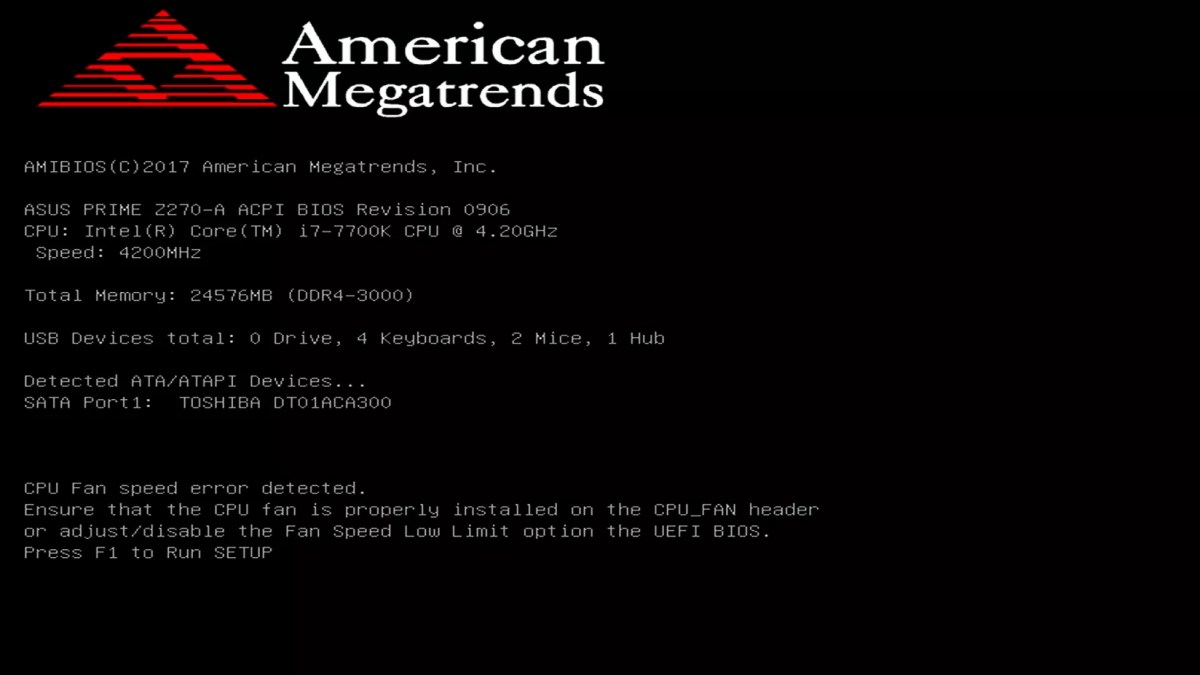
Many PCs have shipped with the original versions of the certificates, which were issued in 2011. Only newer computers ship with the next set from 2023.
The 2011 Secure Boot certificates were intended to expire after 15 years in 2026. In Microsoft’s own words, this plan was “to ensure Windows devices continue to verify trusted boot software.” Currently, three of the four certs have already reached end-of-life. (This happened in late June 2026.) The fourth will do so in October 2026.
Expired certificates mean weakened protection for your PC—Secure Boot won’t be able to block newer attacks on your startup process. Updating to the 2023 certs maintains consistent defense against bootkits and other malware targeting the startup process.
How can I tell if I have outdated Secure Boot certificates?
You must manually verify in Windows that your Secure Boot certificates are up to date—being able to boot up into Windows isn’t proof. A PC can still enter Windows with expired 2011 certs.
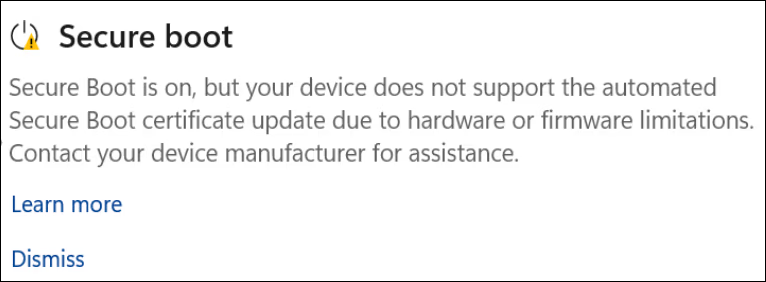
In most cases, Windows will notify you of the issue—one clue is seeing a blue shield icon on your Taskbar, with either a yellow or red mark on it.
Otherwise, open the Windows Security app and then select Device Security. A green checkmark means you have the 2023 Secure Boot certificates and are up-to-date. A yellow or red warning indicates you must take action.
ASUS
Is Secure Boot actually necessary?
Internet comments now often advise not worrying about UEFI/BIOS level malware, saying only targets of government attacks have to worry. (Ex: You’re a journalist covering North Korea.)
But that attitude can be traced back to Secure Boot’s presence in Windows. I was around before its implementation. You didn’t need to be targeted by state-sponsored hackers to end up with a bootkit infection.
So you can run your PC with expired Secure Boot certificates, just as you can keep using your car when the Check Engine light comes on. But ignoring the warning can lead to a massive headache later.
Getting rid of malware that affects your boot sequence is a huge pain, both for detection and removal. Secure Boot provides protection should that ever happen, because it won’t let your system boot. You at least get a heads-up something nasty has happened to your PC.
How do I get updated Secure Boot certificates?
Most Windows PCs have had the 2023 Secure Boot certificates pushed to them already. If you see a green checkmark, you’re set and don’t have to worry any further.
If you have a yellow or red warning, you’ll have to get more involved with your PC—seeing if your computer will get support from its manufacturer, if you need to perform a manual UEFI/BIOS update, etc. You can read more about what to do (and how to do it) in our Secure Boot update guide.
Microsoft
What happens if I can’t get updated Secure Boot certificates?
Your next steps depend on if your PC has received a yellow or red warning. Yellow generally means you just have to sit tight awhile longer (and be sure that your UEFI/BIOS is up to date).
Red might mean your PC won’t get the new Secure Boot certificates. Some manufacturers have stated support has ended for certain end-of-life products. This means you won’t get the UEFI/BIOS update needed for the newer 2023 certificates.
In such an unfortunate situation, you have two main options. To stay on Windows, you’ll have to buy a new PC. Alternatively, you’ll need to get comfortable with Linux—specifically a distro that can bridge this gap.
This articles is written by : Fady Askharoun Samy Askharoun
All Rights Reserved to Amznusa www.amznusa.com
Why Amznusa?
AMZNUSA is a dynamic website that focuses on three primary categories: Technology, e-commerce and cryptocurrency news. It provides users with the latest updates and insights into online retail trends and the rapidly evolving world of digital currencies, helping visitors stay informed about both markets.
