
The Microsoft PowerToys suite for Windows include the Command Palette, a tool that is often overlooked but actually offers a vast range of functions. For example, the program includes a search function that combines several other Windows search features into a single interface. The easiest way to install the PowerToys is via the Microsoft Store.
Once the installation is complete, launch the software, then open the ‘System’ section on the left-hand side of the window and click on ‘Command Palette.’ You can accept the default settings. To access the tool’s command line, press the Windows-Alt-Space key combination.
Now you’re ready to go: By typing the > (greater than) symbol, a command line opens, allowing you to search for Windows commands.
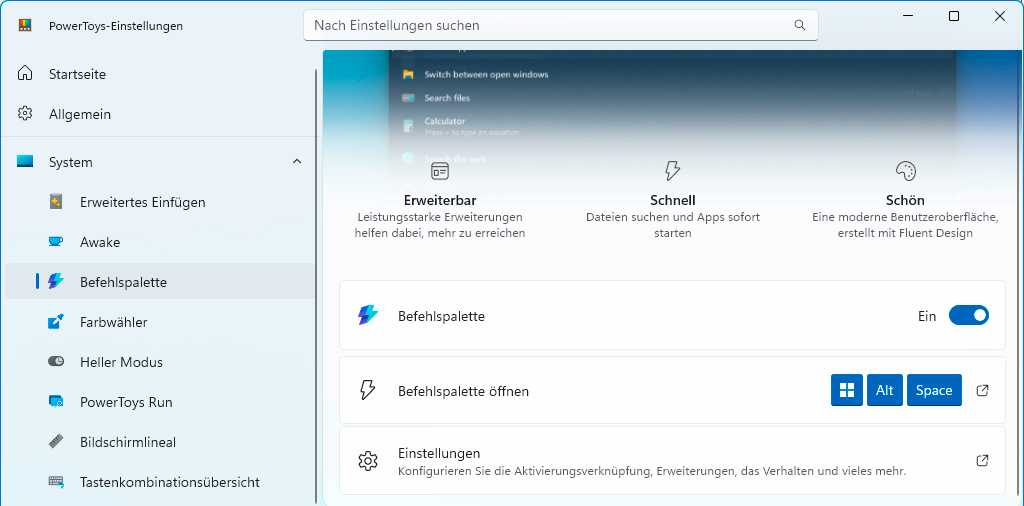
The Command Palette’s input bar in PowerToys only opens after pressing a key combination, which can be changed in ‘Settings
.’
Foundry
For example, type ping here and click ‘Run’ at the bottom of the window. Many users now use the Windows package manager Winget to install programs. The Command Palette can show you which apps Winget supports. To do this, type winget into the input bar and click ‘Search for apps with Winget.’
Type the name of a program, such as vlc, and click on the name of the software in the results list to install it directly. You can also use the Command Palette to search for Windows settings. To do this, type $ (dollar sign) followed by the setting you want, such as keyboard. The program also monitors the Registry.
Type : (colon) followed by the name of a registry folder, such as HKEY_Local_MachineSoftwareMicrosoft, to open the Registry Editor directly at this path. Finally, typing ?? will launch a web search. The Command Palette will open your default browser and load your preferred search engine.
Related content
This articles is written by : Fady Askharoun Samy Askharoun
All Rights Reserved to Amznusa www.amznusa.com
Why Amznusa?
AMZNUSA is a dynamic website that focuses on three primary categories: Technology, e-commerce and cryptocurrency news. It provides users with the latest updates and insights into online retail trends and the rapidly evolving world of digital currencies, helping visitors stay informed about both markets.
