A decade or so ago, I had a small utility application that I would use for batch resizing a number of photos. I have no idea who coded it or where I even originally found it, but it was a specialized app for a specialized purpose and I’m lucky I even ran across it.
Today, I could build my own. You could, too! If you can think of it, you can probably vibe-code it. It’s time to start adopting that mindset.
This week’s Smart Mode isn’t about AI slop, which is becoming an ad machina argument. This is about thinking, “Wouldn’t it be nice if my PC could do this?”—and then doing it.
Welcome to PCWorld’s newsletter, Smart Mode! The focus of this newsletter is productivity: from software to hardware to peripherals, all with the idea to get what you need to get done, efficiently.
I’m your host, Mark Hachman, covering the productivity tips, tools, and trends that you need to know about, both from within PCWorld and beyond. If you want the latest issue in your inbox each week, just sign up right here.
Some of you will think that I’m months, even years late on this. Others will think that AI should be shunned in every form. I believe AI is a tool, that it can be used to improve and supplement your own productivity, and that it can help build the plans that you yourself architect.
If you disdain AI slop, you’ll probably be surprised to find that, well, you’re right! My own AI apps have all the look and feel of a microwave dinner, while a truly great application is more like a chef-prepared meal. Nevertheless, it works. Let me walk you through what I’ve learned.
Mark Hachman / Foundry
The easy basics of vibe-coding
Earlier this week, I asked legal experts what the risks would be to experiment with vibe coding. My own conversations indicate that people either have a hyper-specific purpose for vibe-coding (like my resizing app or executive editor Brad Chacos’ attempts to outplay Vegas in prop betting) or they’re trying to replace a paid service with their own free alternative. (Wall Street called this the SaaSpocalypse.)
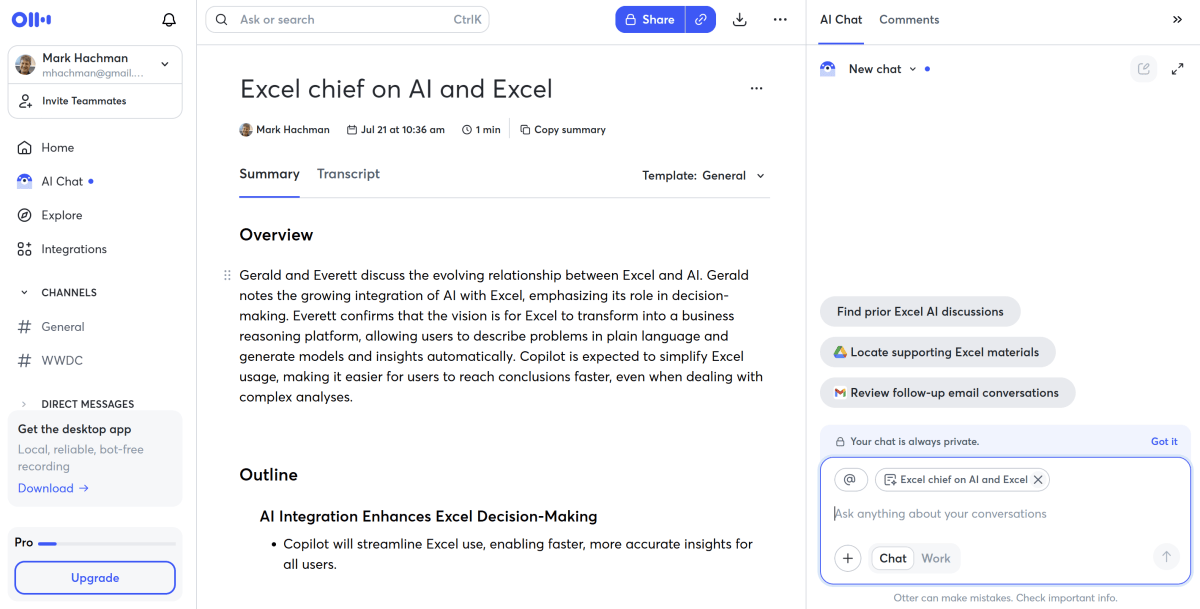
I’m no different. I didn’t want to outright clone a service that I pay for and enjoy—Otter’s voice transcription service—but I did want a competitor which could perform some of the same tasks. I pay about $100 per year for Otter, and that’s money I could save.
Our company pays business licenses to both OpenAI and Anthropic for professional versions of ChatGPT and Claude. Claude seems preferred for coders, but I’ve noodled with ChatGPT for some time now.
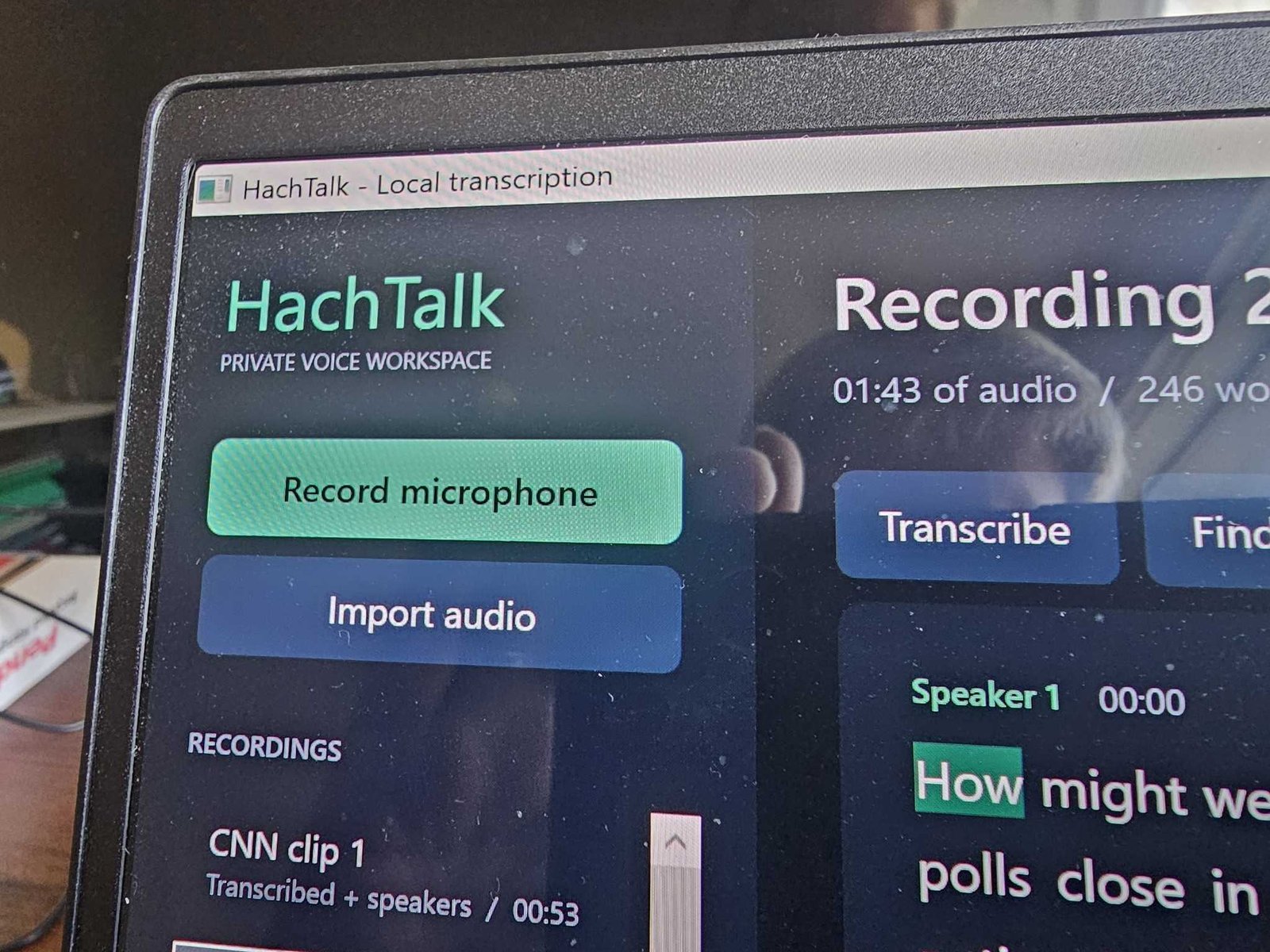
The initial process was a little confusing, since I had seemingly two choices: create a Project, which would use ChatGPT’s “Pro” model, or simply “code” it within ChatGPT and use the existing Astra model. I tried both, calling the first app “HachTalk” and the second “HachTalk Astra.”
HachTalk’s “memory” was confined to just the project, while HachTalk Astra could use what it knew of my chats as input. ChatGPT informed me that the “Pro” model was superior for deep reasoning, and that the Astra model was faster and more conversational. Okay.

Ben Patterson/Foundry
For both, I used the same prompt:
I want to build a voice transcription app for Windows that runs locally, with an executable that auto-detects the local hardware and takes advantage of its resources. I would like versions for both X86 and ARM. Features should include the ability to upload prerecorded audio as well as to process live audio. I want to be able to tag speakers and for those speaker models to be saved for subsequent chats. The playback audio should also sync to the text via a text highlight, and I should be able to click on the text to begin playback at that point. Break up the text into paragraphs and add the appropriate punctuation.
Did either work? They did not. The first thing both implementations tried to do was to build a non-functional “prototype” that I could compile myself. Like I wanted to do that! I demanded an executable file instead.
HachTalk took 4 minutes 43 seconds to deliver a prototype, then 18 minutes 39 seconds for the executable; HachTalk Astra took 3 minutes 3 seconds for the prototype and 9 minutes 49 seconds for the executable.
Mark Hachman / Foundry
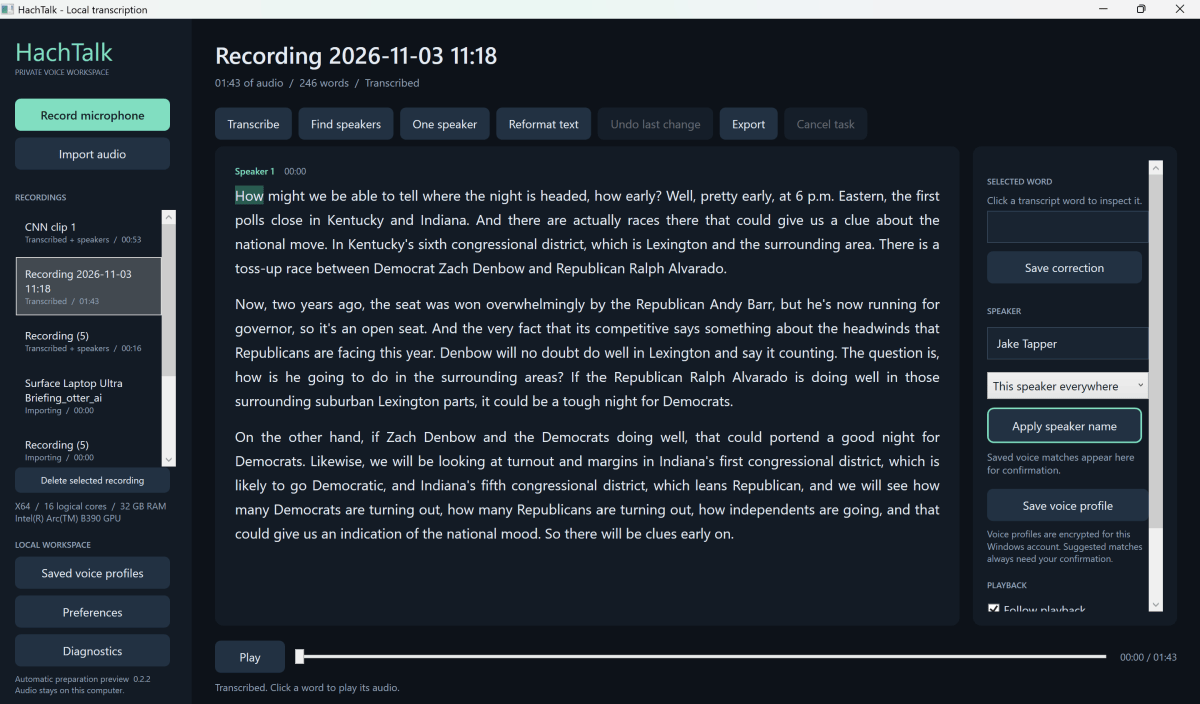
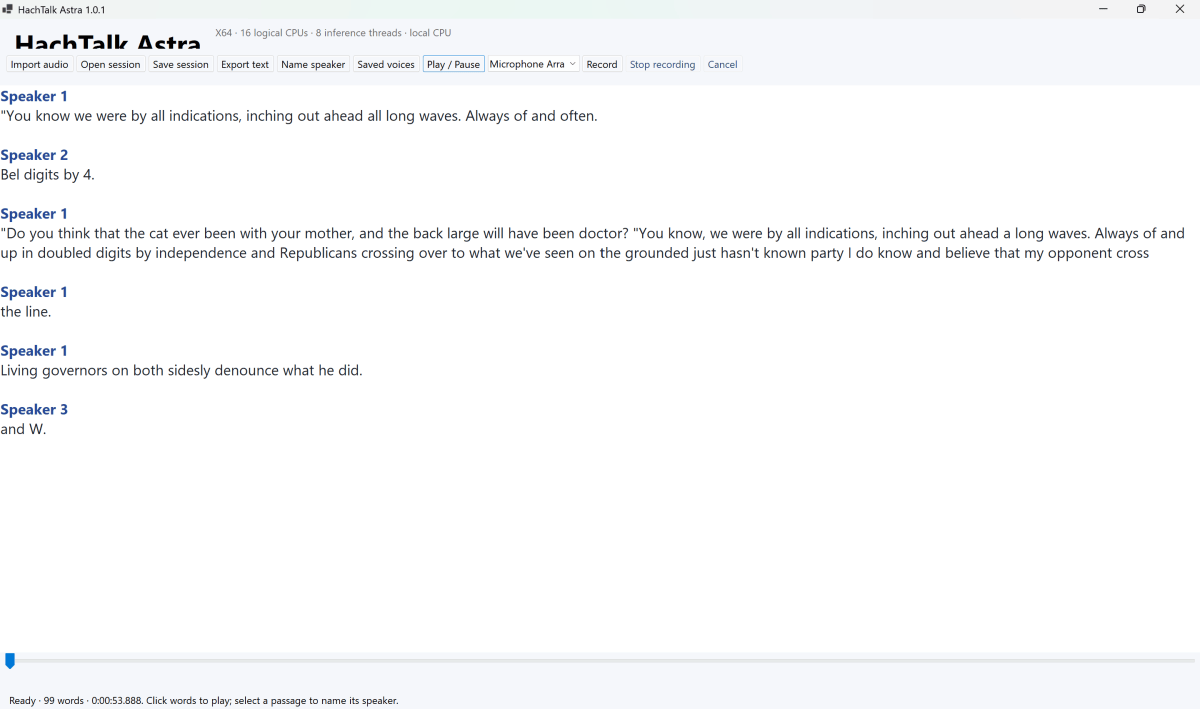
What was interesting is that the two user interfaces were significantly different. The “Astra” version of HachTalk was extremely basic, barely recognizable as an app at all. HachTalk coded on the “Pro” reasoning model looked much more sophisticated, with configurable options that I could adjust. HachTalk Astra included a specific “Third Party Notices” file that detailed which components and models it used; the version of HachTalk built on the Pro reasoning model did not.
But neither worked. Both versions initially returned errors I couldn’t understand. That really didn’t matter—I simply captured a screengrab of the offending message and told ChatGPT to fix it. It did, sort of.
Mark Hachman / Foundry
After a few iterations, I achieved working code that transcribed my speech as well as an audio input file. But that was just the beginning.
The tweaks will take time
There’s an old saying: “If you want it done right, do it yourself.” For someone who knows how to code, that person could step in and fix an offending bug or engineer an appropriate feature or UI element.
I found myself trying to chase down bugs while explaining, as best I could, how I wanted something done. I wanted the transcription tool to do a better job of applying paragraphs and punctuation. HachTalk did so, then reverted to the older, imprecise transcription. Naturally, that was another bug, which required a minute or two to fix.
Remember, AI is dumb. One version of HachTalk would only accept MP3 files as input, when I wanted a variety of inputs. I needed to specify that.
Still, the bones are there. What’s nice about an AI solution like ChatGPT is that you can tuck all of your progress in a folder and work on it when you want, leaving ChatGPT to make improvements in a background tab. HachTalk is now at version 0.2.3; I’ve given up on HachTalk Astra. Each iteration requires a small download, and that’s fine.
Will I stick with Otter? Will I vibe-code other apps? One of the tenets of productivity is to use your time wisely, and vibe-coding requires a down payment in time, focus, and tokens. On the other hand, there’s also the promise that you can code something exactly the way you want, and that’s worth exploring.
Maybe it’s a transcription app. Or my own utility that hunts down duplicate photos. Or a service that pulls together all the freebies for my birthday and charts out the most efficient use of my time. They’re all possibilities.
Productivity on camera:
Have you heard about OneDrive cutting your storage allocation?
Productivity in the news:
- Microsoft continues to optimize Windows for 8GB of RAM. But is anyone else following suit? If not, it’s a problem.
- Linux is free—but like vibe-coding, it’s an investment of time.
- Raspberry Pis used to be affordable hobbyist PCs for side projects. But at these prices???
- Your Windows taskbar should be drag-and-drop. It’s not. It makes no sense.
Productivity tip of the week
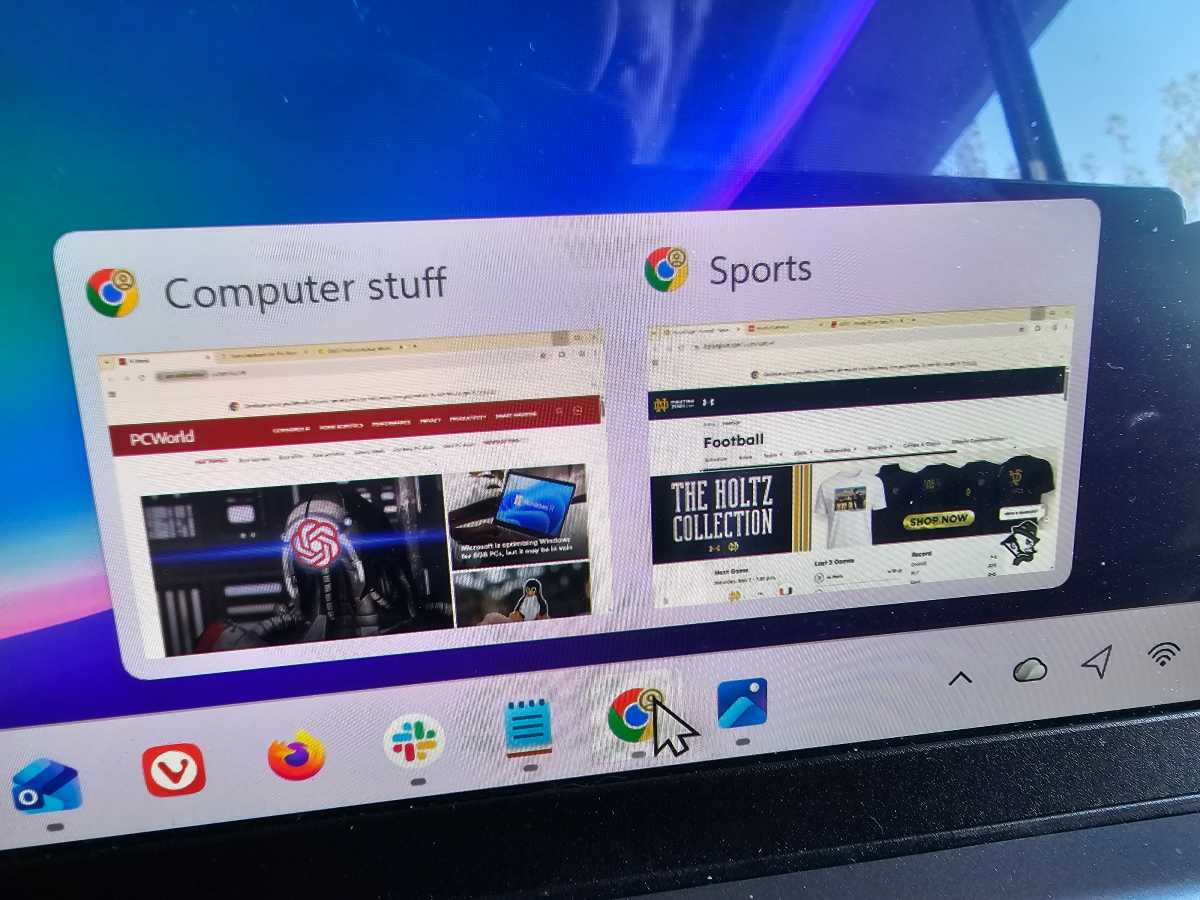
If you typically work within multiple windows of tabs in Chrome, you may have trouble keeping them all organized. Many browsers have ways of grouping tabs, but a simple way within Chrome is to keep a number of related tabs inside of a single window.
Mark Hachman / Foundry
You’re halfway there. Now right-click on the top of the group of tabs and then scroll down to “name window.” Simply assign a name—such as “Vacation”—to the group of tabs. The group names will show up on the taskbar for easier navigation back and forth.
Thanks for reading!
Thanks for tuning in to this edition of Smart Mode, PCWorld’s newsletter devoted to helping you make the most of your life, smartly. Sign up and have it sent to your inbox every Thursday!
This articles is written by : Fady Askharoun Samy Askharoun
All Rights Reserved to Amznusa www.amznusa.com
Why Amznusa?
AMZNUSA is a dynamic website that focuses on three primary categories: Technology, e-commerce and cryptocurrency news. It provides users with the latest updates and insights into online retail trends and the rapidly evolving world of digital currencies, helping visitors stay informed about both markets.
