
At a Glance
Expert’s Rating
Pros
- File backup, sync, and imaging in one program
- Ransomware protection
- Affordable online storage (for backup and restore only)
- New friendlier Interface
Cons
- Doesn’t support third-party online storage services
- Doesn’t let you create new folders when defining a backup destination
- Boot disk creation remains problematic
Our Verdict
With online storage and malware protection, Aomei Backupper 8.5 can now compete with the likes of Acronis True Image in the backup, sync, and disaster recovery category. If only it would fix a couple niggling issues.
Price When Reviewed
This value will show the geolocated pricing text for product undefined
Best Pricing Today
Price When Reviewed
$39.95
Best Prices Today: Aomei Backupper Professional
I last reviewed Aomei Backupper’s imaging, file backup, and sync program at version 7 when it added proprietary, but extremely affordable cloud backup to the mix. There were a couple interface snags and recalcitrant but fixable boot media, yet it remained a worthy backup suite.
Version 8.5 of Aomei Backupper Professional adds anti-ransomware and a lighter-hued, friendlier-looking interface to the mix. The program also proved fast and reliable in nearly all aspects of testing.
Alas, interface foibles and malformed recovery boot media still beset the program’s quest for 4.5 stars — two years after I first reported them. Maybe next time.
Read on to learn more, then see our roundup of the best Windows backup software for comparison.
What are Aomei Backupper Professional 8.5’s features?
Backupper Pro’s features run the gamut of backup functionality: imaging of your files/folders, system, drives, and partitions; dedicated email and Outlook backup; Windows PE disaster recovery boot media; system/disk/partition cloning; a recovery partition (boot environment); and several flavors of folder sync.
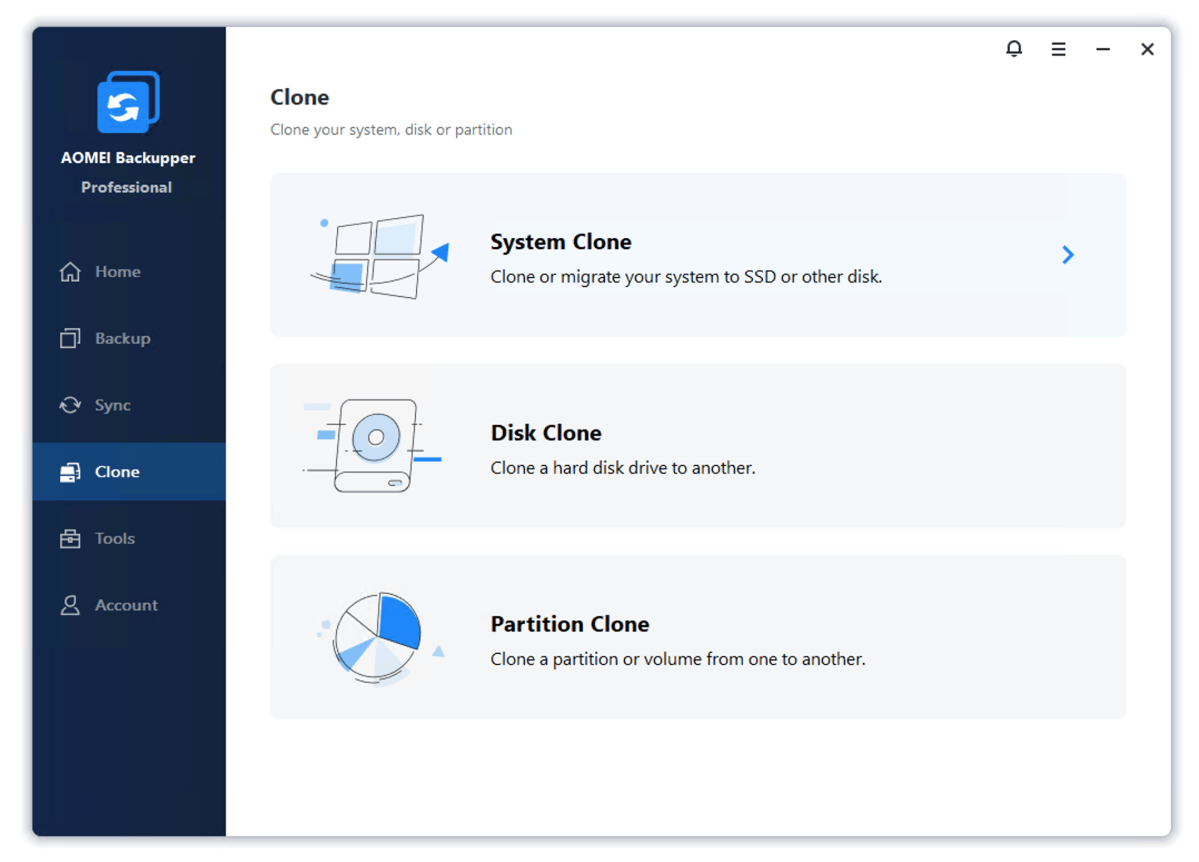
Backups and syncs may be saved anywhere, to any type of non-optical media (optical is supported for boot discs), including network locations, which may also be included in backups.
You can schedule backups as granularly as one hour (continuous is available as real-time sync), as well as run pre- and post-backup commands, including scripts.
Beyond that, Aomei’s changelog lists mostly smaller improvements and optimizations. All welcome, but nothing particularly noteworthy other than the aforementioned ransomware protection (see below).
Backupper’s new Ransomware Protection basically runs in the background and locks files to prevent them from being encrypted then deleted (which is the way most ransomware works).
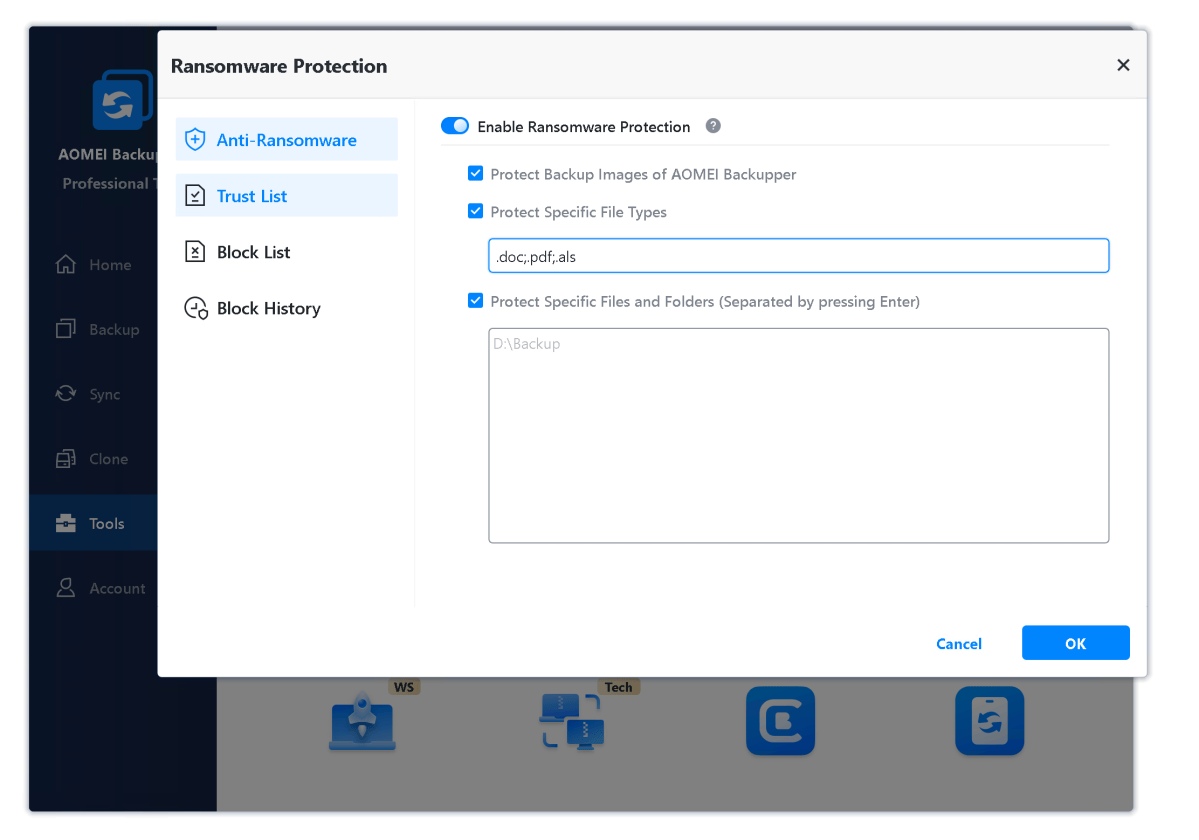
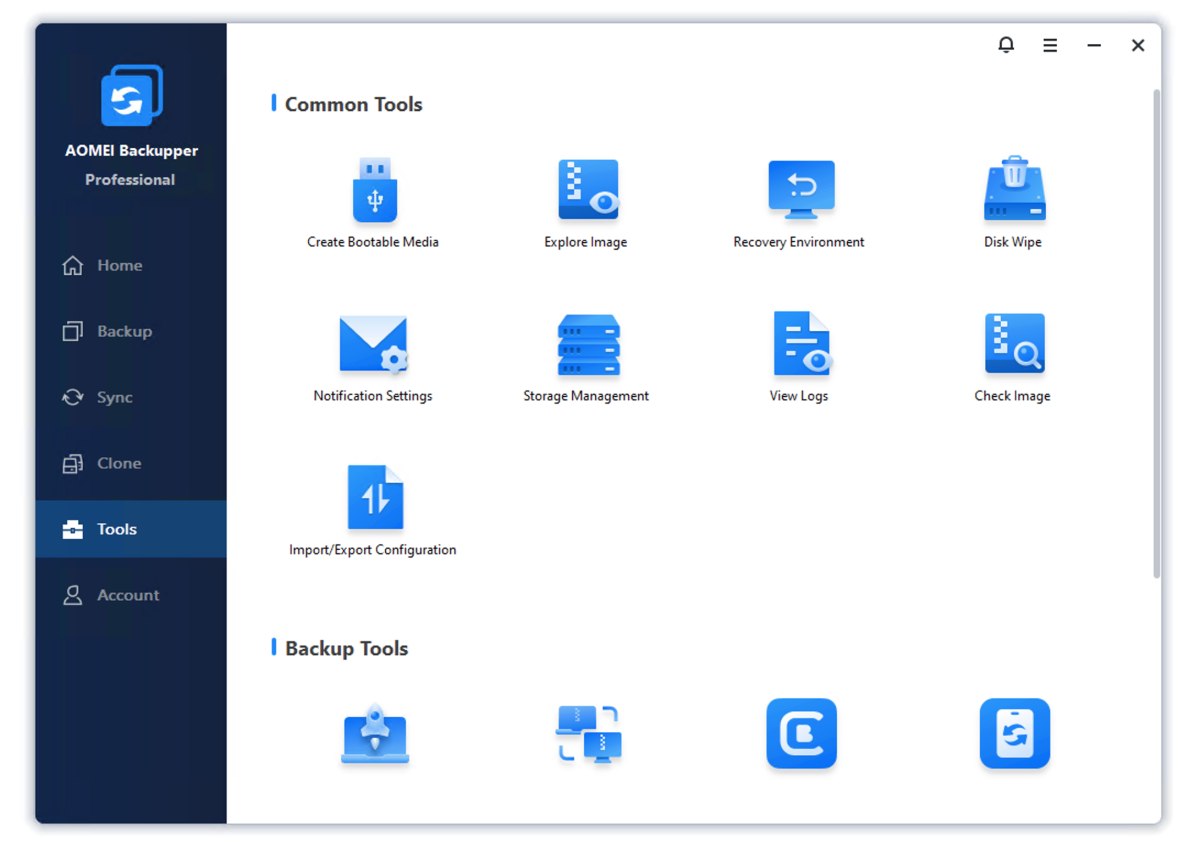
Backupper also includes a number of storage-related utilities, including a disk-wipe app that will overwrite sensitive data, destroy malware, etc; an image explorer so you can browse files on images; an image integrity checker; and a hidden emergency partition containing a recovery copy of your Windows installation (one-key recovery), as you’ll find on large vendors’ PCs.
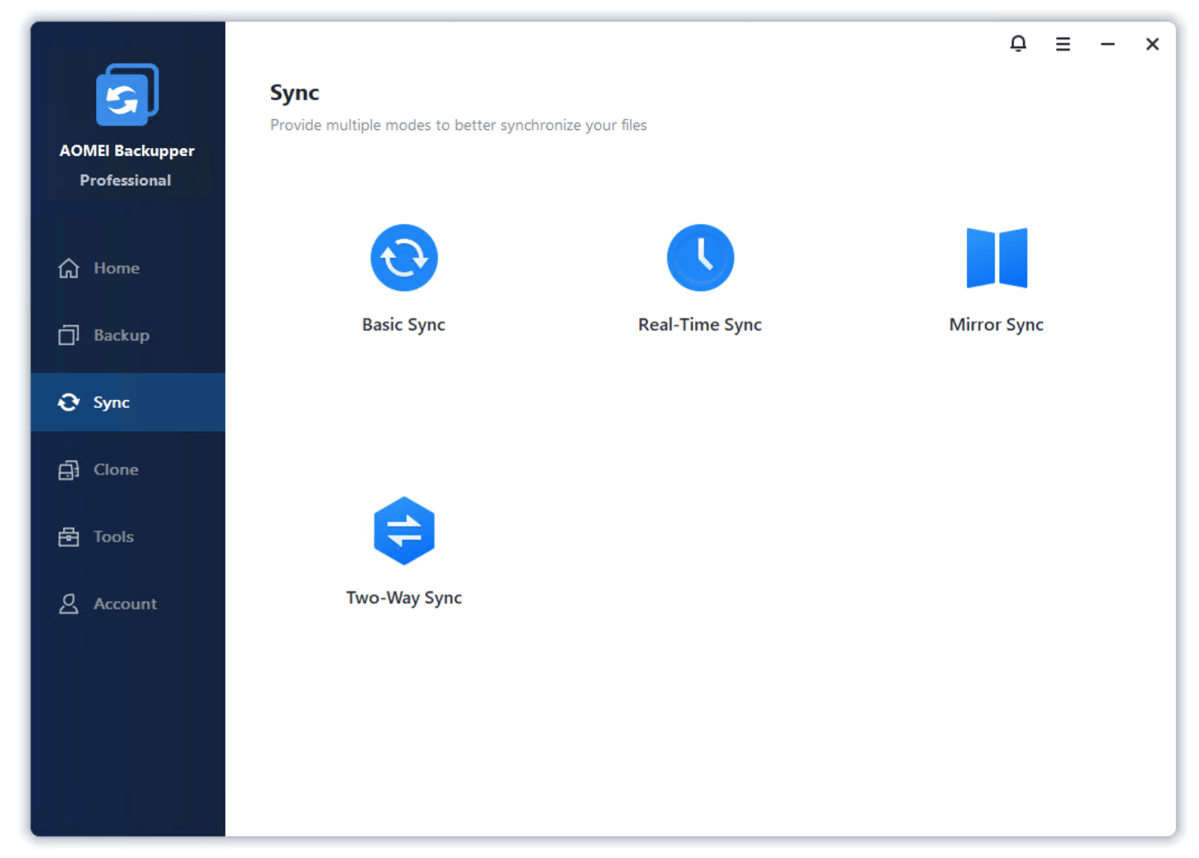
Mirroring maintains an exact duplicate of the source folder’s contents in the destination folder, including removing files deleted from the source folder. Two-way sync simply means that changes made in either the source or destination folder are duplicated in the other. Real-time sync is just what is sounds like: instantaneous mirroring of changes made in the source folder to the destination, rather than by scheduling.
How easy is Aomei Backupper Professional to use?
Aomei Backupper is similar in both appearance and workflow to Acronis True Image, especially with the now lighter color scheme. Both feature a column of categories on the left, with a pane of sub-categories to the right that morph into detail view. The GUI is clean, friendly, and the features are explained with easily understandable language.
That said, choosing destination locations could be easier. The program still doesn’t allow you to select a network location using the mouse. You must type in the IP address, e.g., 192.168.1.105Public, though once you’re at the parent location a normal browser tree pops up. Huh?
Another annoyance is the inability to create a new folder when browsing to select a destination. For instance, if you browse to a folder named “Backups” there’s no way to create a subfolder named “Aomei.” You must use Windows Explorer to handle this chore.
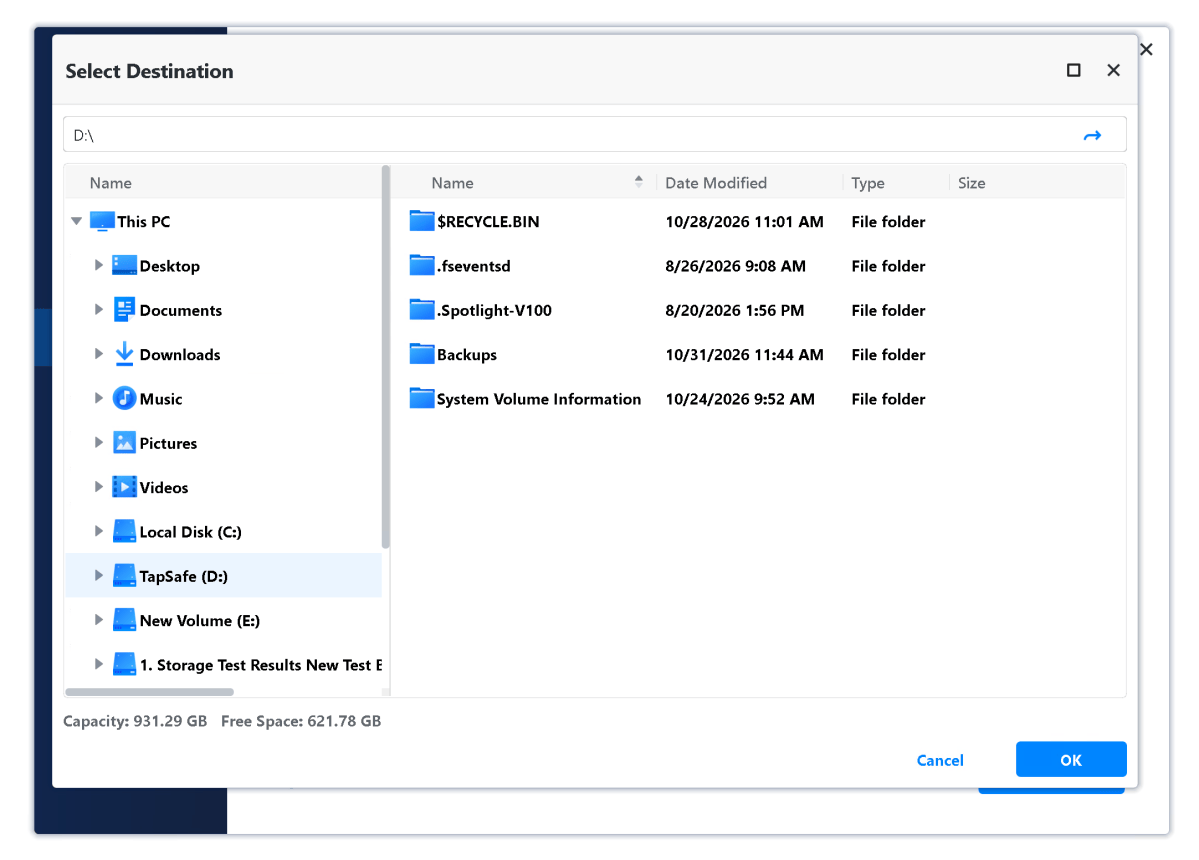
These are piddling details that are easy to fix, and I wholly expected them to have been addressed in the two years since I last visited the program. The fact that they haven’t been makes me wonder if anyone at the company actually uses their own product.
Of course, the free version, which is what most people will start off with, suffers a perpetual upgrade nag on the main screen, as well as other nudges to buy it. If you like the software, you should probably support the company that provided it.
How much is Aomei Backupper Professional 8.5?
The pricing of Backupper Professional is a more complicated topic than with many other products — the prices vary depending on where you see them. Thanks for that.
The prices shown below are what you see if you hit the buy button inside the trial version. I saw no cloud storage when simply browsing to the Backupper web page normally.
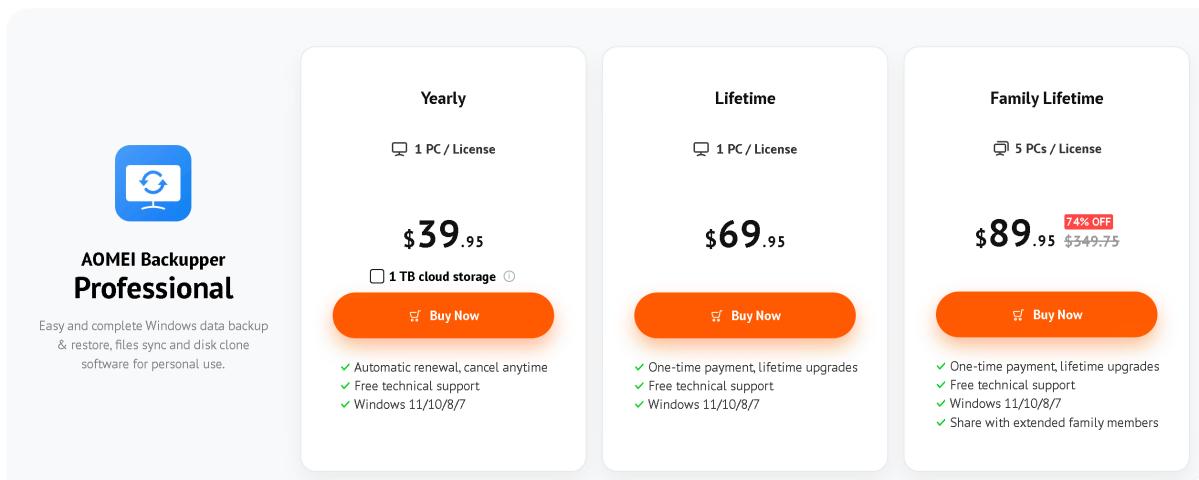
Backupper Professional is available for $39.95 annually (often on sale), which bumps up to $59.95 if you add Aomei Cloud with 1TB of storage. As of October 31, 2026, this was discounted to $49.95.
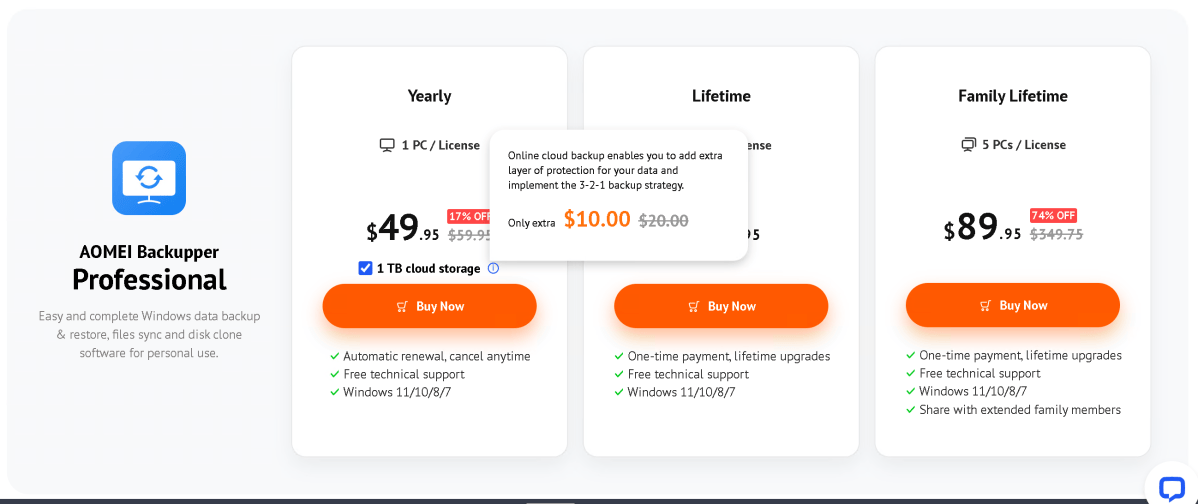
A perpetual license is $69.95 for one user, or $89.95 for five users, but this doesn’t include cloud storage. Aomei offers this to perpetual users at $20 a year according to media relations, or $30 according to tech support last time I talked to them.
Either way, $20 or $30, it’s quite a bargain, though it can only be used in conjunction with Backupper to back up and restore files. Most services are multiples of those prices, which ameliorates my wish that Backupper Professional supported third-party online storage as well. It doesn’t.
There are also small business plans: Workstation for $50 yearly with PXE boot ($60 with the 1TB of online storage), Server for $150 with support for various Windows server operating systems. Additionally, two enterprise-oriented versions are available: Technician for $499, and Technician Plus for $699 with image deployment and the portable version.
While many of the advanced features discussed above are available only in the Professional and Enterprise versions of Backupper, many users will be just fine with the basic set available in the free Standard version. There’s a version comparison here if you want the complete lowdown.
How does Aomei Backupper Professional 8.5 perform?
The Windows version of Backupper Professional performed both quickly and without error this time around in nearly every task. Imaging, file backup, and sync to both local, network, and online proceeded apace given the bandwidth available on each medium.
Alas, the Windows PE recovery thumb drive that Backupper Professional created was not recognized as bootable — a long-running issue with the program. Using the free Rufus 4.8 boot disk creator to write the Backupper ISO to a thumb drive created a disk that would boot. However, that was only if I lowered the BIOS boot security settings — the UEFI used in the ISO had been deprecated.
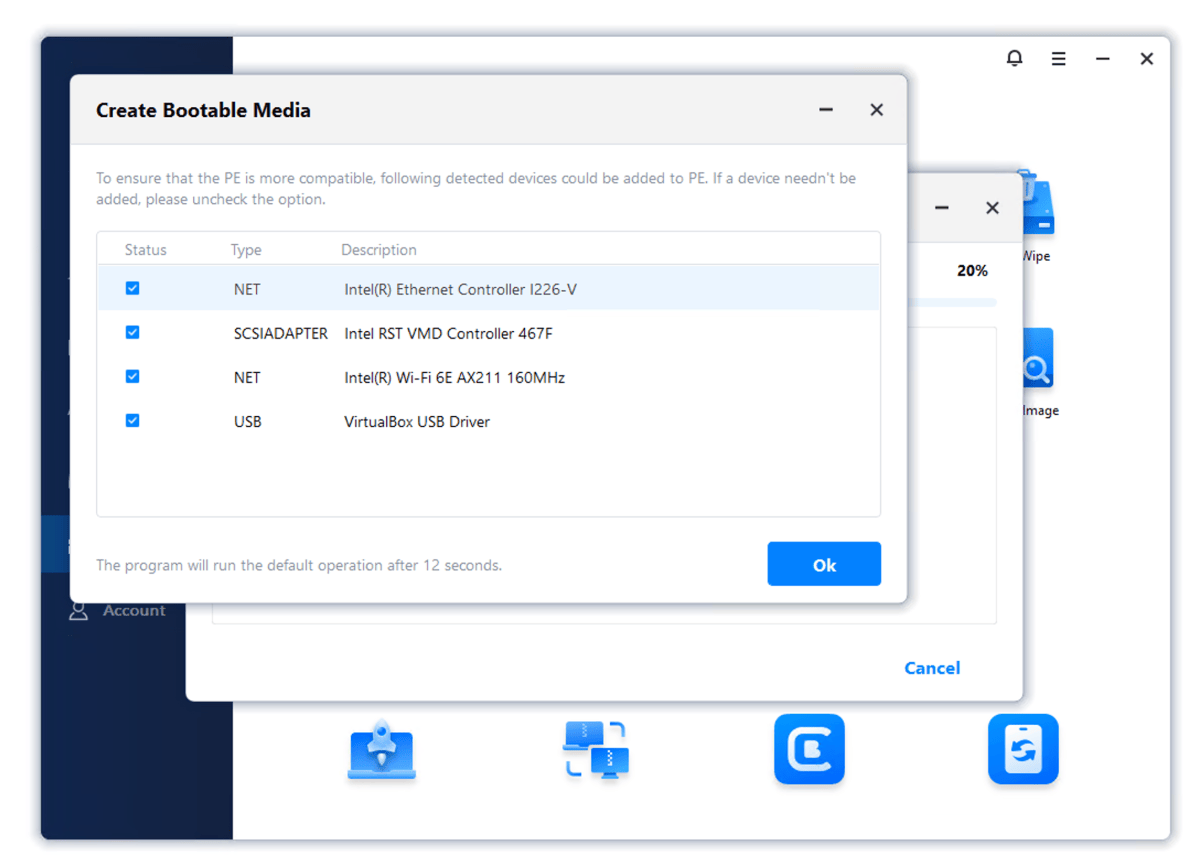
Put bluntly, for disaster recovery to work, you need a bootable disk and creating one with Backupper Pro requires jumping through hoops that many less experienced users might not even know exist.
Overall, Backupper is a very good performer and super reliable with most tasks — but, geez, Aomei, fix the darn boot media!
Should you buy Aomei Backupper Professional 8.5?
Imaging, file backup, and disaster recovery for $40 with 1TB of online storage for $10 to $30 a year more is a fantastic bargain, even if the latter is only usable for Backupper backup and restore. Overall, the suite if very competent.
However, Aomei’s continuing lack of attention to fine details, and the recovery-media creation issues again cost it half a star. A half a star I was inclined to add in light of the addition of malware protection and the lighter-colored interface.
Note that you can use any backup software, including the free Backupper Standard, with nearly any online storage service these days thanks to cloud storage managers.
This articles is written by : Fady Askharoun Samy Askharoun
All Rights Reserved to Amznusa www.amznusa.com
Why Amznusa?
AMZNUSA is a dynamic website that focuses on three primary categories: Technology, e-commerce and cryptocurrency news. It provides users with the latest updates and insights into online retail trends and the rapidly evolving world of digital currencies, helping visitors stay informed about both markets.
