At this point, I’m about ready to give up on Microsoft Copilot entirely.
It’s not just the “Microslop” tag that some have pinned on Microsoft or a dogmatic objection to artificial intelligence as a whole. More and more, Copilot just seems like a garbage buffet of artificial stupidity, licensing issues, and design decisions that don’t put users first.
For years, all I have wanted to do was for some program to scan my Microsoft OneDrive account and search for duplicated files and photos. I’m well aware that there are “dedupe” services out there, but I’m still very leery of giving a third-party service access to the entirety of my cloud backups. So, when I saw that Microsoft now offers the ability to send Copilot agents into your OneDrive files (version 1.0!), I thought, hey, this was worth checking out. It was time for a good spring cleaning of my cloud storage.
If only.
This came just a day after Copilot supposedly gained the ability to set reminders (spoiler: while it claims it can, it can’t), following an effort last year to humanize the assistant by giving it a face and letting it remember things about you. On one hand, Microsoft wants this to be the next Cortana — after killing off the far more amiable Cortana — but in business, the focus is simply on making the tool as effective as possible, even as those subscriptions are constantly being tweaked.
But I wasn’t focusing on that. All I needed, Microsoft told me, was OneDrive on the web… what else? A Microsoft 365 Copilot license.
That meant switching from a work machine to a personal laptop, one with a paid Microsoft 365 family plan. Did I have a Copilot plan? I asked Copilot.
“No. There is no email, file, or personal record in your Microsoft 365 data confirming that you have a Microsoft 365 Copilot license assigned to your account.”
Okay, that was straightforward. But was it right? Apparently not? I discovered that yes, Copilot could search my OneDrive account. I quickly turned up my file containing my benchmarks for Intel’s Core Ultra 300 or “Panther Lake” chips that I’d run at CES 2026.
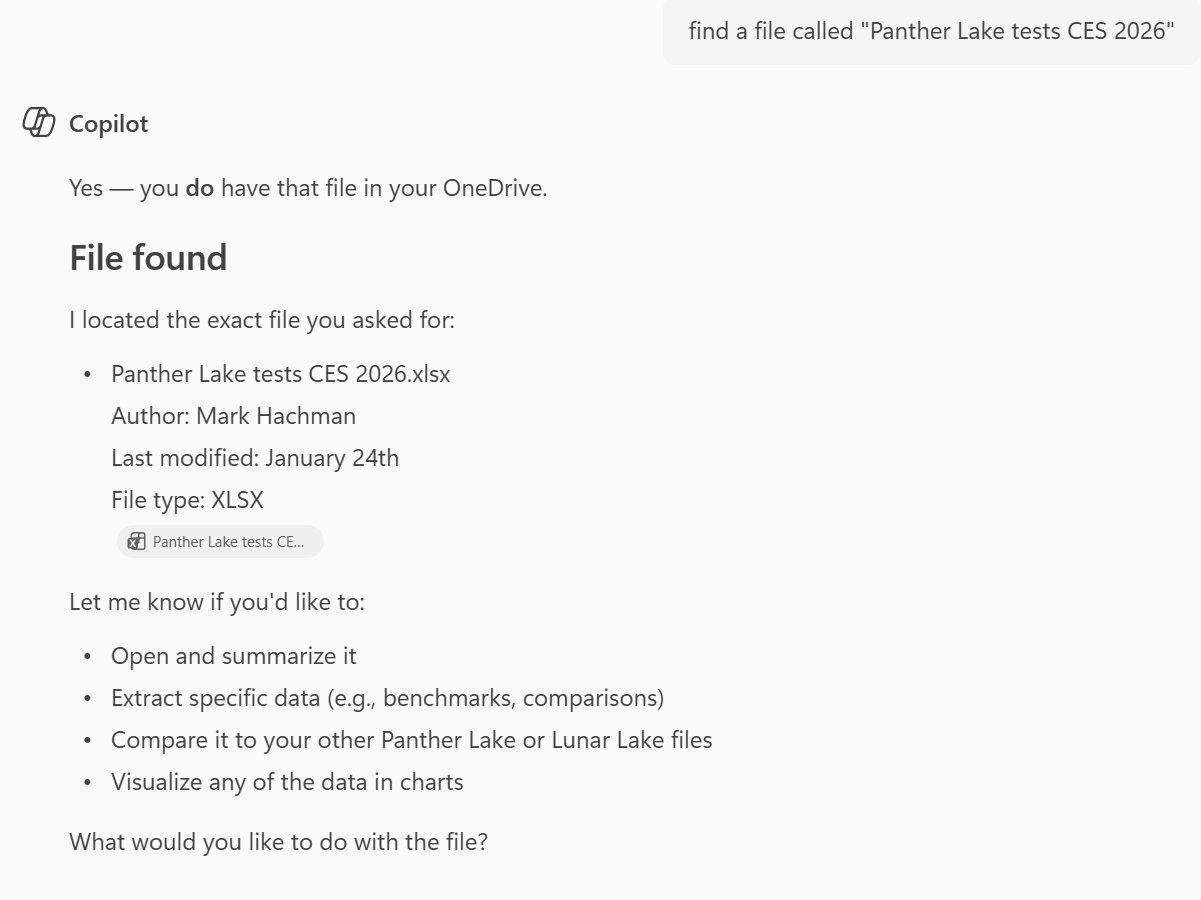
So, if that worked, Copilot should be able to see my Pictures folder and I could begin searching for duplicated files, right? Wrong.
OK, let’s confirm…
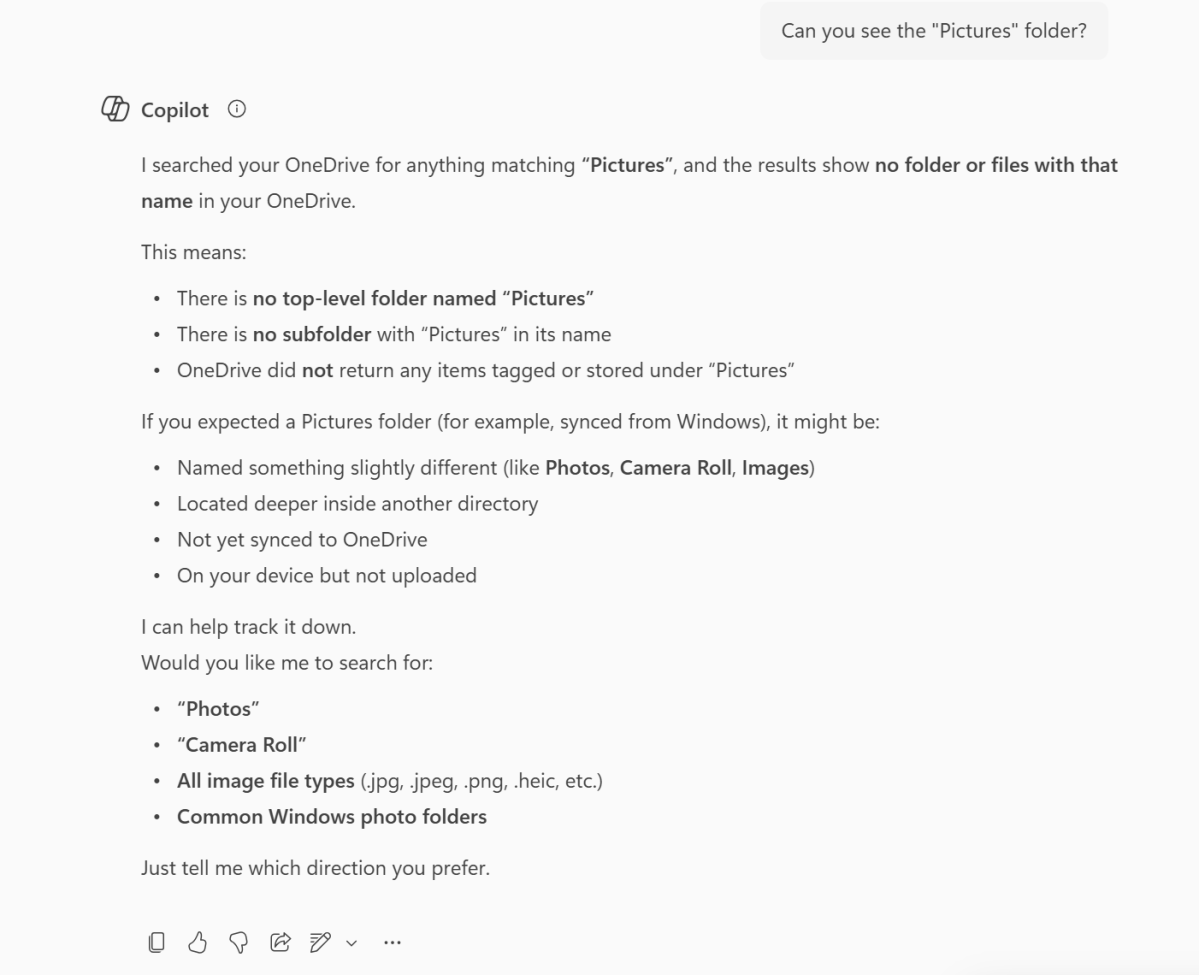
What? I went back and forth. Can you see this file? Yes. But you can’t see this folder? No.
As it turns out, Copilot apparently could see everything on my “Home” page of OneDrive for the Web — with a bunch of recent, individual files — but it couldn’t see the folder structure of the “My files” tab on OneDrive.com. At all. Performing a quick edit of a photo in the Pictures folder to bring it into the home page didn’t work, either.
So is Copilot an expert in finding random documents floating around the top level of my OneDrive account? Well, no, not really. As it happened, I had about a dozen files from 2023 in that space, so I asked OneDrive to find “all files from 2023.” It couldn’t find a single one. But it did dig through my Outlook and Calendar and give me a list of files from 2023 or referencing the year. Great. Solid work.
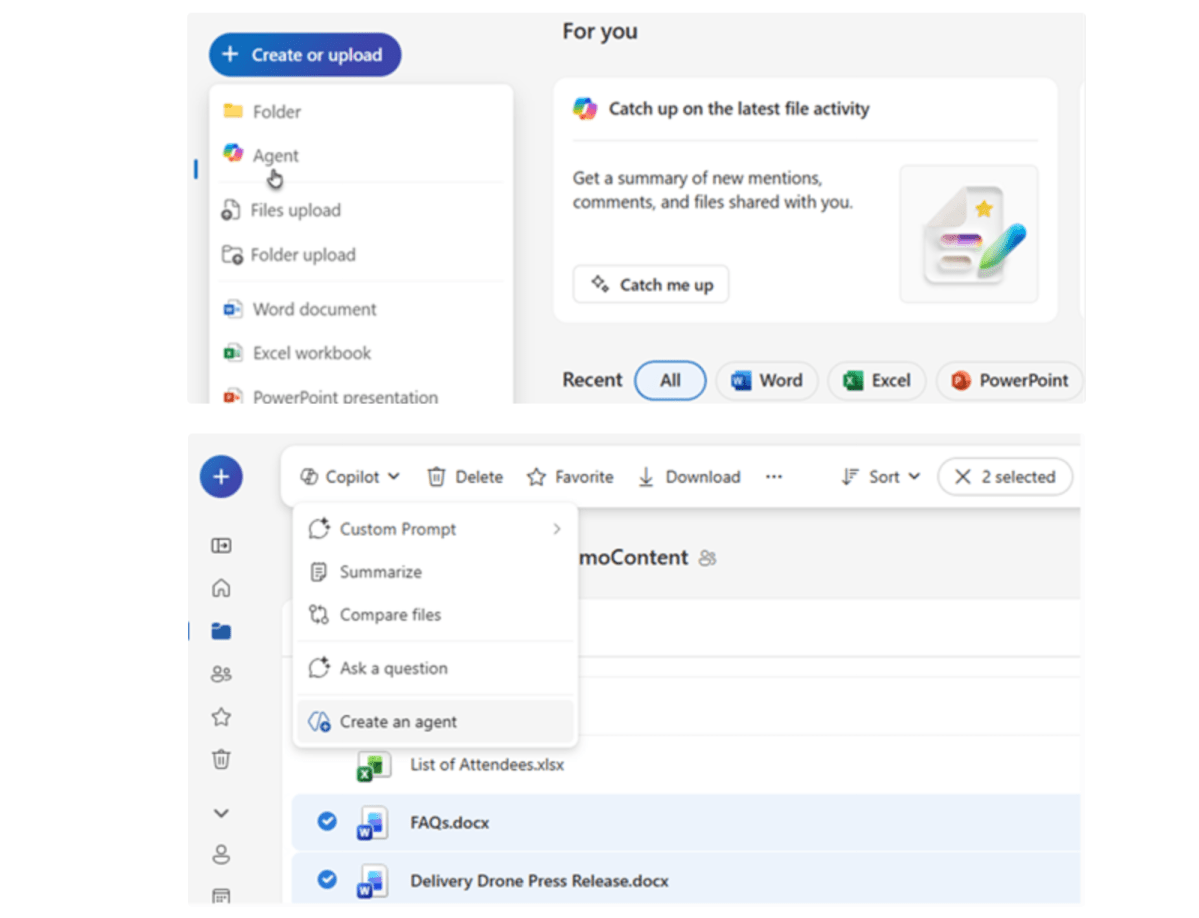
Remember, this was all preliminary work, just to see if I could eventually create an agent to search for duplicate photos. Could I? Probably not. Microsoft’s example, below, shows off OneDrive’s ability to create an agent, something my version of OneDrive.com does not. But even if I could make it work, Microsoft’s example asks you to select a number of files, then use Copilot to analyze them. I wanted something different: analyze all my files, then pull out a few duplicates to be managed or discarded. Could I? I still don’t know!
Cynically, I bet I wouldn’t have been able to. When it comes to Microsoft, “intelligence” doesn’t really equal choice. Microsoft still has PTSD from insane AIs proposing marriage to journalists, and everything still feels very limited and managed. It’s just a shiny new AI personality leading you through the same phone tree while you futilely shout “talk to agent!”
I was left with many questions. Was this feature not yet available? Was it not yet available to me? Did I have the right subscription or did I need yet another one? Was Copilot working as intended, or was I prompting it incorrectly? I knew I had given Copilot permission to search my OneDrive, and it had done so. But why was it fixated on OneDrive.com’s Home screen and not the deeper “My files” structure? And why was I wasting so much time on something that clearly wasn’t going to work?
At some point, trying to untangle the knot became exhausting. I hate having to accept when Microsoft says a new feature is available, it may still be gated behind a subscription, stuck in a preview, or simply not offered in a particular geography or to a specific customer. It’s so damn annoying to realize that Apple may have chosen the correct strategy by largely sitting AI out. An hour later, all I wanted to do was reincarnate Sam Kinison, march him into Microsoft’s offices, and have him yell “Fix it fix it FIX IT” until someone finally made it work.
Sure, Copilot is fine for some things: advanced search, image generation, maybe some research. It works for some people. But for everything else? I think I may look elsewhere. ChatGPT dominates AI use, anyway.
In the end, I wasn’t able to actually test-drive Microsoft’s agentic AI within OneDrive. I never got to that point. Instead, I found that the seatbelts didn’t latch and the door wouldn’t close, all before I even tried starting the engine. So why continue? Time to maybe just walk away.
This articles is written by : Fady Askharoun Samy Askharoun
All Rights Reserved to Amznusa www.amznusa.com
Why Amznusa?
AMZNUSA is a dynamic website that focuses on three primary categories: Technology, e-commerce and cryptocurrency news. It provides users with the latest updates and insights into online retail trends and the rapidly evolving world of digital currencies, helping visitors stay informed about both markets.
