
At a glance
Expert’s Rating
Pros
- Informative LCD screen
- Excellent performance
- Nice mix of USB-A, USB-C ports
- Charging power easily exceeds smartphone needs
Cons
- Odd mix of powered and unpowered data-only ports
Our Verdict
Mokin’s 160W GaN All-in-One Station is a 13-in-1 USB-C docking station with charging in mind, featuring a clean, nerdy aesthetic that informs you of what’s going on under the hood.
Price When Reviewed
This value will show the geolocated pricing text for product undefined
Best Pricing Today
Price When Reviewed
$99.99
Best Prices Today: Mokin 160W GaN All in One Docking Station

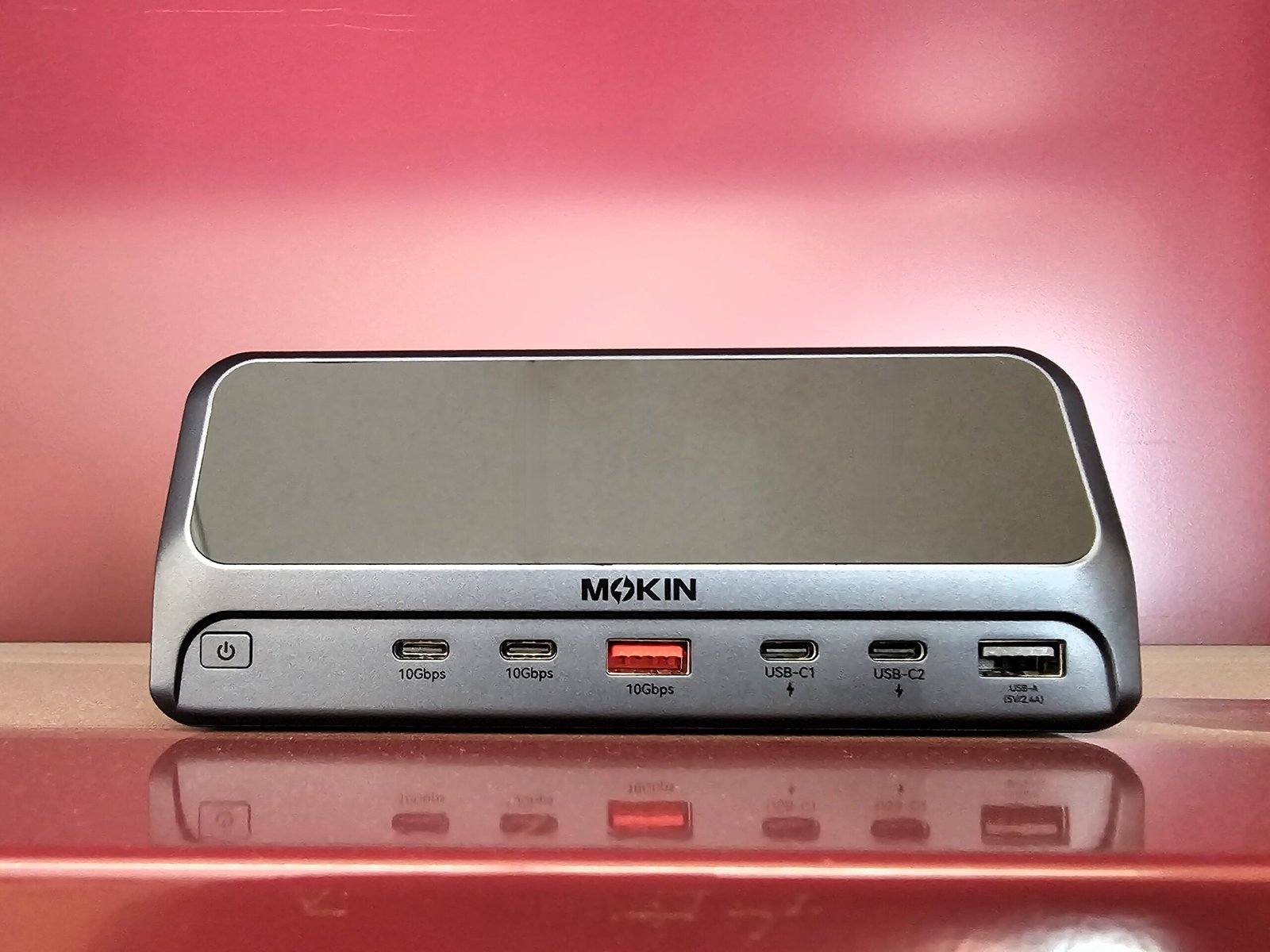
For those of you who want to know what’s going on under the hood of your USB-C docking station, there is Mokin’s 160W GaN All-in-One Station: a nerdy, compact 10Gbps 13-in-1 USB-C docking station designed to keep your devices charged and you informed — via an informative LCD screen.
Mokin’s 160W GaN All-in-One Station appears on Amazon (at press time) as the “MOKiN Docking Station, 13 in 1 USB C Laptop Charging Station” and actually features a pair of entries — one for $99.99, and one for $139.99. From what I can see, they’re identical, so choose the cheaper option if they both appear.
The dock measures 7.8 x 7.2 inches and about 3 inches high, not taking as much space on your desk as a full-fledged Thunderbolt dock, but more than one of our recommended USB-C docks or hubs. It will not sit vertically, and it’s really too chunky to consider toting along in a backpack or carry bag.
By now, I’m used to docking stations whose ports do dual duty as charging options. This isn’t the case here, and the aesthetic seems to be in the vein of Anker’s popular charging products: include a bright, informative display, lots of charging power, and ports aplenty. That’s true here, though pay attention: Some ports provide data, and some ports provide power, and they don’t really overlap. There’s a new trend towards adding screens to just about everything, however, and that’s in play here, too.
Mokin’s 160W GaN All-in-One Station is a rather nerdy approach to a powered USB-C charging dock, but the performance was superb and the aesthetic clean.
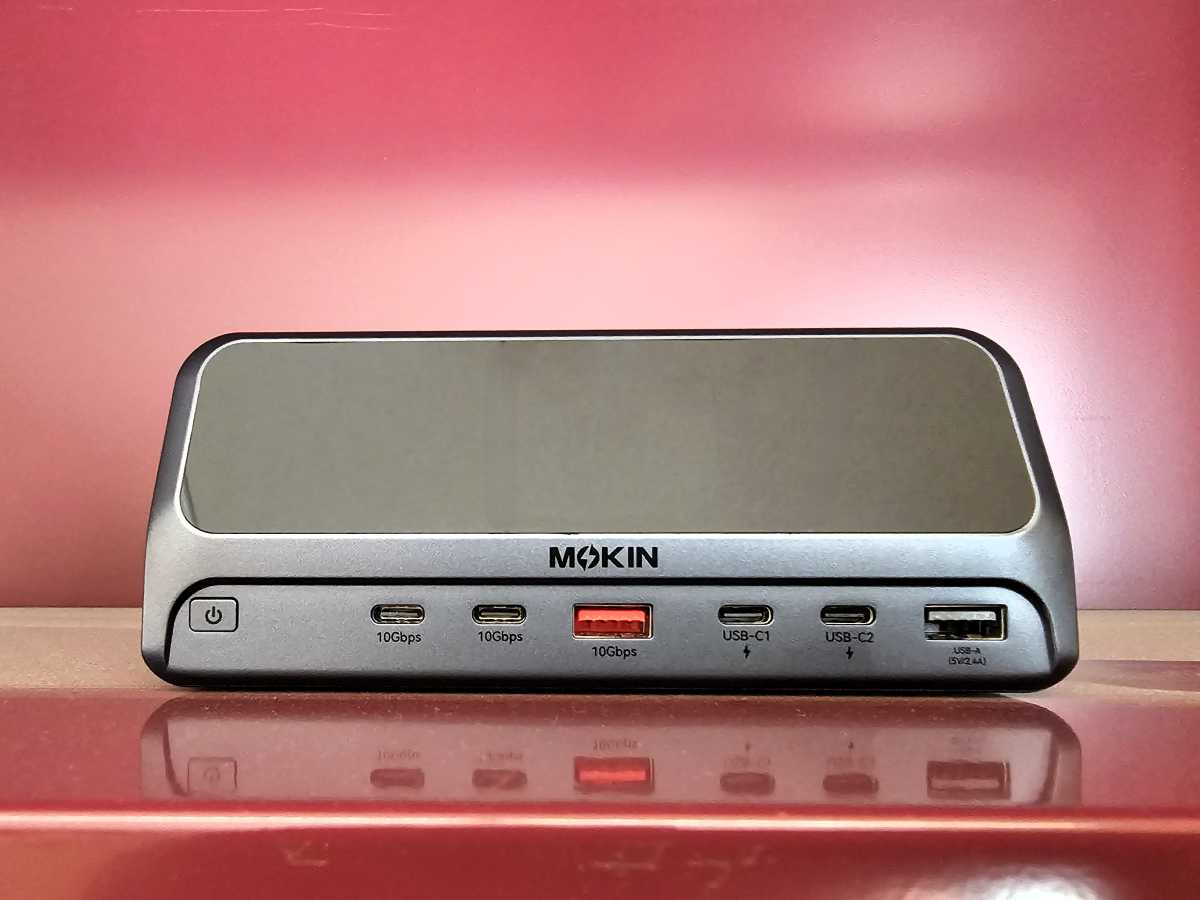
First, though, there’s the power issue. On the left side of the dock’s front sit two 10Gbps USB-C ports and a 10Gbps USB-A port — the latter highlighted in orange for aesthetics, apparently. These ports provide data, but not power. The other three ports on the dock’s front side, to the right, also include two USB-C ports and a USB-A port, too. But these “dummy” ports only provide power, not data. Until you know what’s going on, it’s easy to think that this dock is defective — and based on a few reviews on Amazon’s site, some customers may not have read the manual closely enough.
Mark Hachman / Foundry
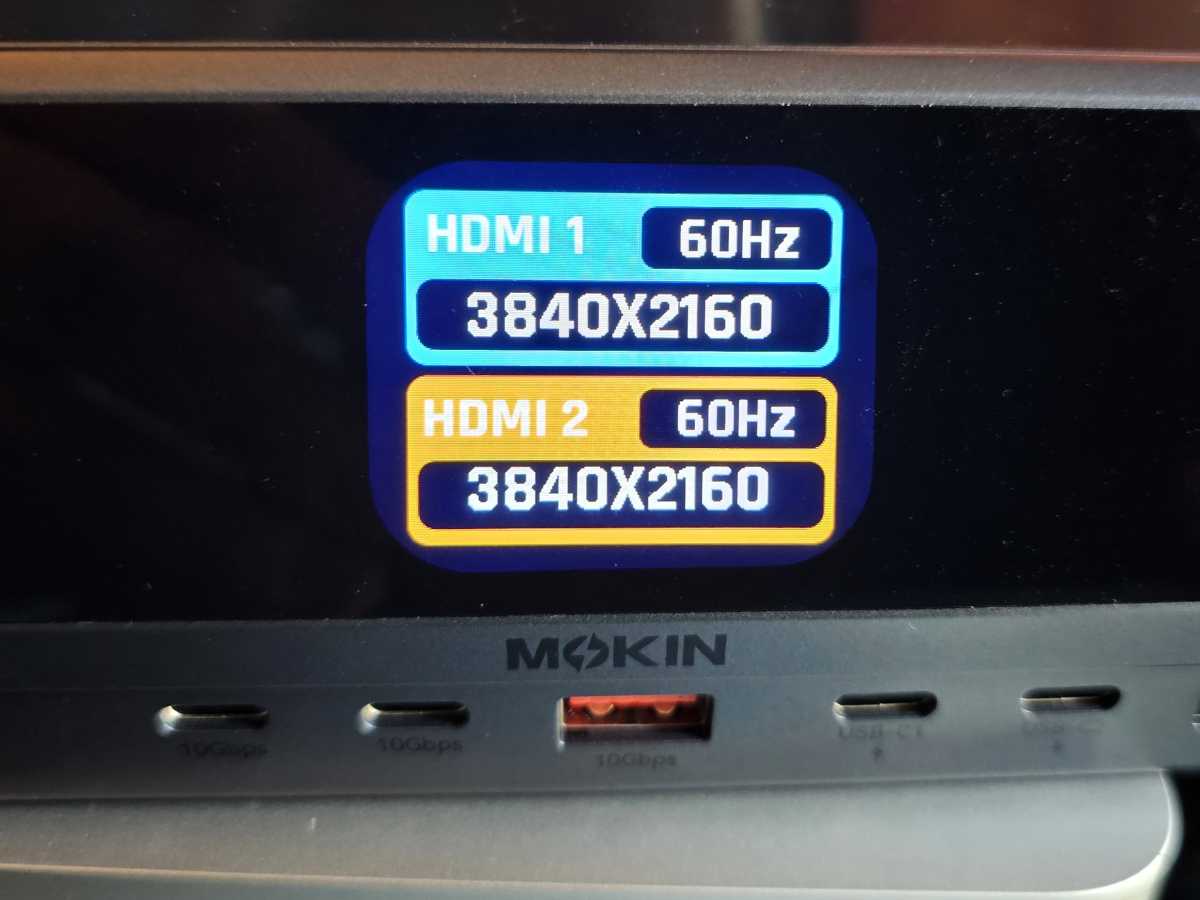
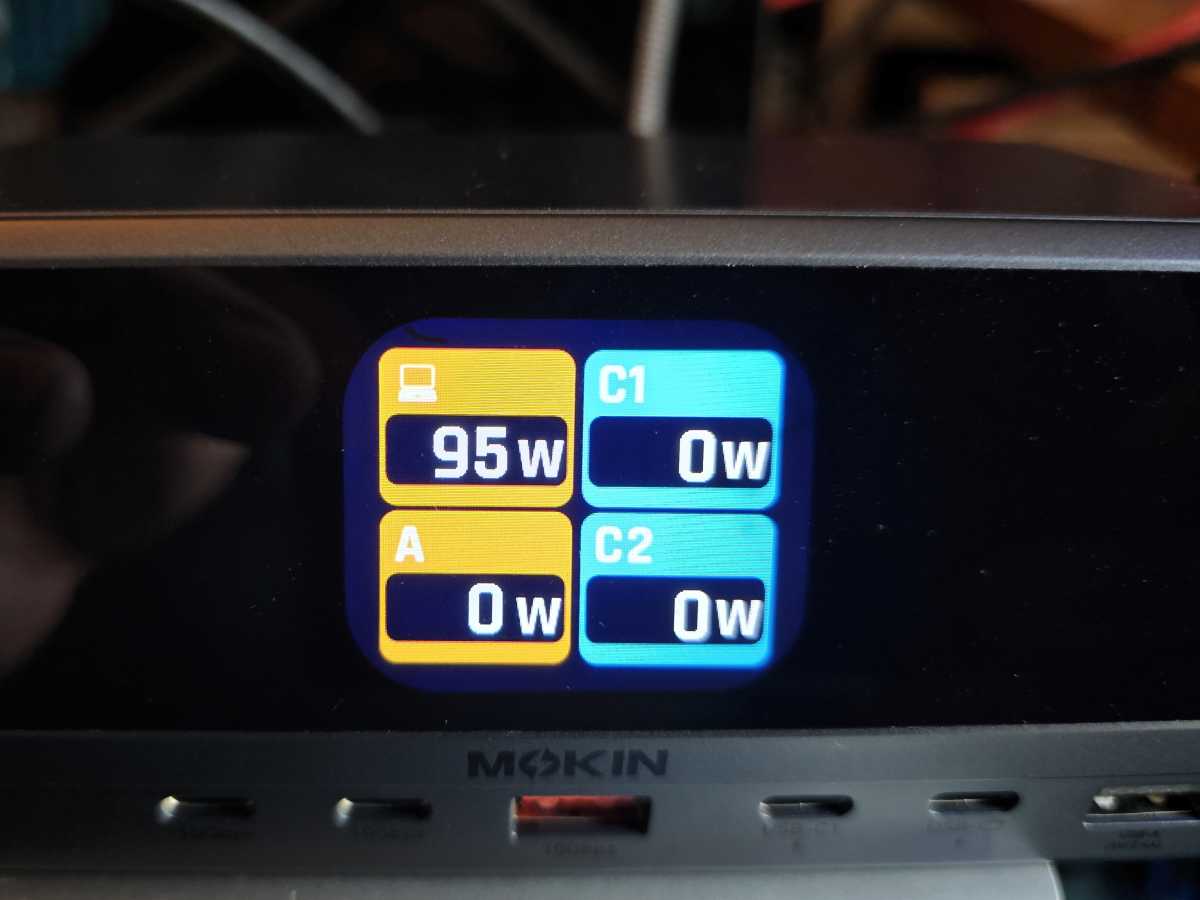
On the other hand, if you do plug a device into one of these right-hand “dummy” power plugs, you’ll see a demonstration of the neatest feature this dock offers: a 2.26-inch LDC screen that tells you if a device is plugged in, and how much power is being delivered to it per port. That sort of things tickles my nerd nerves, and USB-C hubs like the DockCase 10-in-1 offer it as well. Is it necessary? Of course not. But it does satisfy the part of you that wants to know what’s going on under the hood.
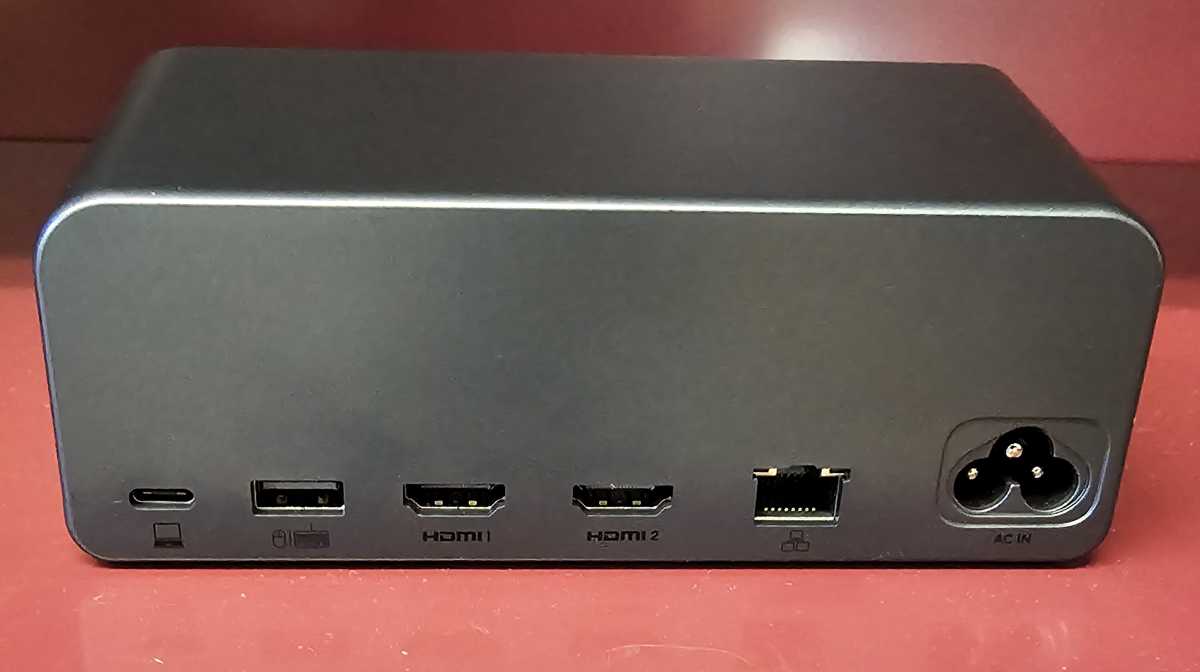
On the rear of Mokin’s dock lies the power input, as well as the USB-C power output to your laptop, which supplies a rated 100W. (The dock reported that it supplied 96W to my test laptop via a shortish 2-foot cord, which matched my USB-C meter’s output as well.) If you need an additional, functional USB-A port, there’s another on the rear. You’ll also find a pair of HDMI ports capable of supplying enough data for two 4K displays at 60Hz. The dock will report the output for those displays, as well.
Mark Hachman / Foundry
Finally, there’s an Ethernet jack, though there’s no official rating in the extremely sparse manual. I suspect that it’s just a standard 1Gbps.
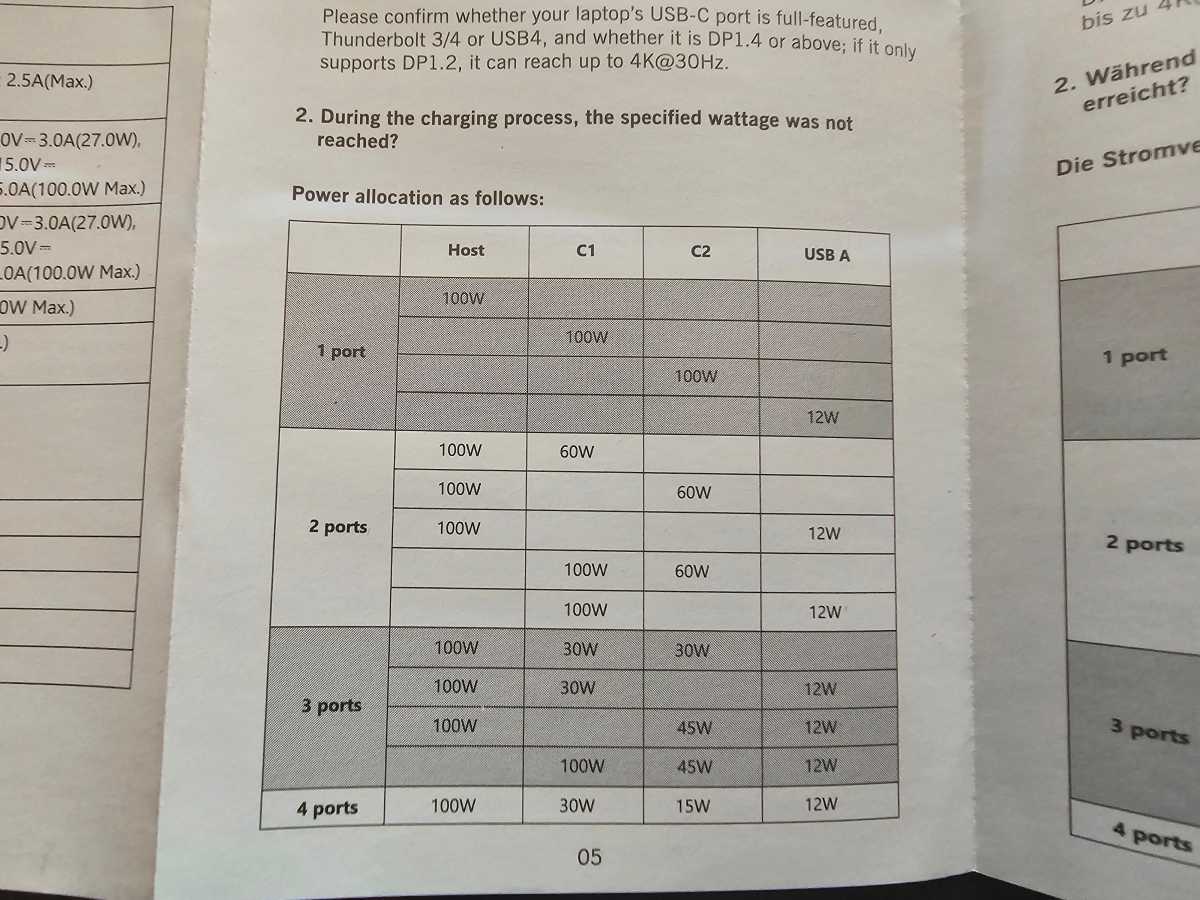
The power that this dock delivers varies by port. If you own a USB charger, this should feel familiar: With just one port connected, that port will receive its maximum rated power. (About 100W is always reserved for the laptop.) The other “dummy” ports vary: the first “C1” USB-C port delivers between a rated 100W to 30W, depending on what else is plugged in; the “C2” USB-C port offers between 100W and 15W. The USB-A port provides 12W, always.
Mark Hachman / Foundry
(For comparison, an iPhone 17 Pro Max can draw up to 40W while charging, while the Samsung Galaxy S25 Ultra can pull up to 45W. All other devices generally need less power.)
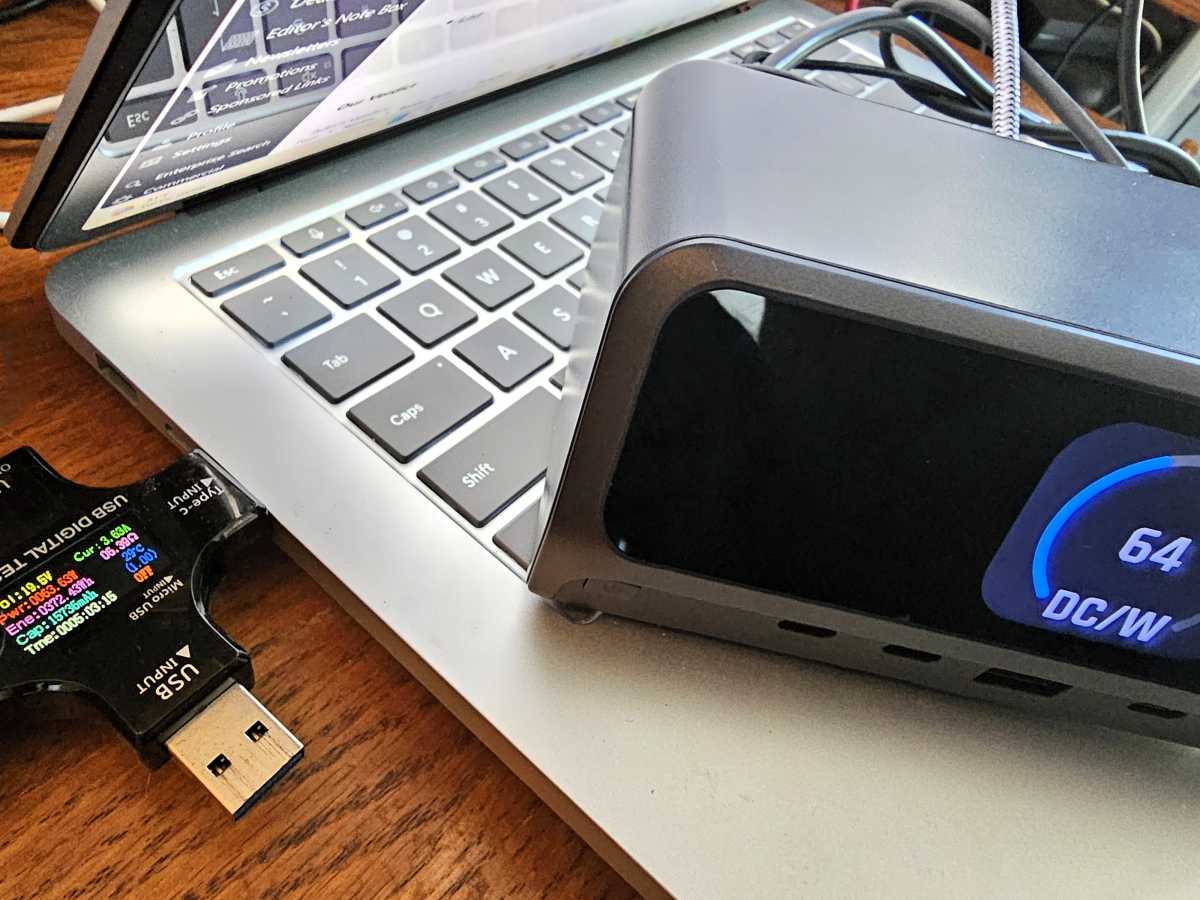
All of this is displayed on the dock’s screen when booted up, though there doesn’t seem to be a way to cycle through the information once connected. (The dock will update the screen if you plug in a new device, however.) Otherwise, Mokin’s dock will always show how much power it’s putting out in aggregate, usually with the bulk going to the laptop.
Mark Hachman / Foundry
Still, the power output can get a little confusing, especially because there are differences between the two USB-C charging ports and the conditions in which they output power. On the other hand, I can’t think of too many devices that require 60W of power from a charging port. One exception is an external power bank or battery, which I use for testing.
For reference, here’s how much power each port can provide, clipped right from the manual.
Mark Hachman / Foundry
How does the Mokin 160W GaN All-in-One Station perform?
Remember, this is a USB-C docking station, so the 10Gbps interface won’t allow for gaming with high refresh-rate displays. But for a traditional Office (Microsoft 365) workload, the dock was perfectly stable. (Edit: The day after this review published (naturally) I began seeing intermittent dropouts on one display. The display turned off for two seconds, then turned on.)
Part of this will depend on your hardware; if your laptop only supports DisplayPort 1.2, expect as little as a single display with 4K30 resolution or a pair of 1080p displays. DP 1.4 supports two 4K60 displays, which first rolled out with the 11th-gen Core chips (Tiger Lake) and the AMD Ryzen 4000.
PCWorld’s testing procedures for USB-C hubs haven’t changed: I check thermals and port spacing, then connect multiple displays using a few test laptops. Finally, I measure performance.
Mokin’s dock doesn’t get alarmingly hot, though it does get warm. Smartly, Mokin spaced out the USB-A ports, which can get congested with multiple devices plugged in next to one another. The USB-C spacing wasn’t an issue.
In general, the power output of the dock matched Mokin’s claims, though I wasn’t able to get the USB-A port to provide more than 7 watts. We mostly live in a USB-C world, however,
Mark Hachman / Foundry
Performance was close to perfect, at least on my newer test laptops. Streaming a 4K video over Ethernet worked perfectly — only two frames were dropped out of over 10,000. My test regimen also connects an SSD to the USB-C port to measure if the dock or hub throttles data, and then repeats the test while again streaming over Ethernet. My tests measured about 113MB/s on both tests, which told me that the dock isn’t throttling data.
Should you buy the Mokin’s 160W GaN All-in-One Station?
Yes. On one hand, this dock’s LCD screen is a bit of a gimmick. Other docks do just fine without passing on the knowledge of how much power your peripherals are consuming. Still, it’s an interesting way to see how much power your laptop typically consumes, and how it increases or decreases depending upon how much work it’s doing. I also like powerful charging ports, especially because other docks seem to be falling behind the charging needs of today’s most elite smartphones.
A basic USB-C dongle will provide similar connectivity for much less, and the DockCase 10-in-1 does offer some of that nerdy detail that this dock provides. Still, it’s not a full-fledged USB-C docking station like Mokin’s offering. Just pay attention to which ports offer data, and which just provide power. Otherwise, you should be happy with Mokin’s charging dock.
This articles is written by : Fady Askharoun Samy Askharoun
All Rights Reserved to Amznusa www.amznusa.com
Why Amznusa?
AMZNUSA is a dynamic website that focuses on three primary categories: Technology, e-commerce and cryptocurrency news. It provides users with the latest updates and insights into online retail trends and the rapidly evolving world of digital currencies, helping visitors stay informed about both markets.
