
It’s been a rough year for PC hardware. It’s been a rough year in general, but it’s been particularly bad for anyone who wants to buy a new laptop, or desktop, or upgrade either of them. And if you think it’s frustrating spending 600 percent on memory, imagine how it feels to be reliant upon the consumer electronics industry for your job. With apologies for resorting to memes: I’m tired, boss.
So I’m sitting on a fairly nice, powerful gaming PC, resisting the urge to rip out the RAM and use it to pay for a couple of months’ worth of electricity. But the vast majority of the time, it doesn’t need its ridiculous power. I’m writing and emailing and taking notes and editing photos — things you could do with most laptops, so long as they could handle triple monitors.
In my melancholy I turned, as I often do, to Steam. And I noticed something I got a long time ago — I can’t even remember if it was in a Humble Bundle or a sale. But it’s something that can put all that expensive power to use in a mildly amusing way. It’s Wallpaper Engine.
Welcome to the Boost Mode newsletter. Every week I share my insights on PC gaming, desktop setups, and hardware optimization. I also track down some of the most interesting PC and nerd news from around the web, plus a PC game pick you might not have seen elsewhere. Want this newsletter to come directly to your inbox? Sign up on our website!
Fun stuff for desktops
If you’ve used triple monitors as long as I have, you’ll know that getting an aesthetically pleasing wallpaper across multiple screens isn’t easy. Windows has decent tools to manage it, but doesn’t account for different sizes and scales. It doesn’t even natively know how to put different images on different screens. I eventually resorted to just toying around in Photoshop and making my own, like this one, very loosely based on an Alphonse Mucha lithograph.

Michael Crider
Wallpaper Engine is a tool that adds pretty much anything you could ever want to your Windows desktop background, up to including videos (like Windows used to do with “Dreamscene,” see also Android live wallpapers), widgets, live content from the web, music visualizations, you name it. It’s nothing that was impossible before, but the centralized system is so well-put-together that it’s easy to recommend for anyone who wants to add a little bling to their PC.
There have been plenty of options out there that let you customize your wallpaper more than Windows’ standard tools. But Wallpaper Engine’s granular options are particularly good. Let me show you an example: my triple-monitor desktop is 8560×1440. A standard widescreen video just won’t fit in it. So a video wallpaper of, say, Reinhardt from Overwatch…leaves me staring at a bunch of twitching fingers.

Michael Crider / Foundry
But right on the same page I selected it, Wallpaper Engine lets me set a custom zoom and position, so I get to see Rein’s grizzled smile and Big Ben behind him with only a few seconds of adjustment. I can also set the playback speed of this looping 4K video, the volume of the background music (if it’s provided), and some video filters with strength options.

Michael Crider / Foundry
Since I’m sure there are a lot of triple monitor fans like me who use this program, there are tons of these ones that just work really well in a super-wide format, like so:




So much room for activities
And here’s the crazy thing: I found all of these just on the featured page of the program.
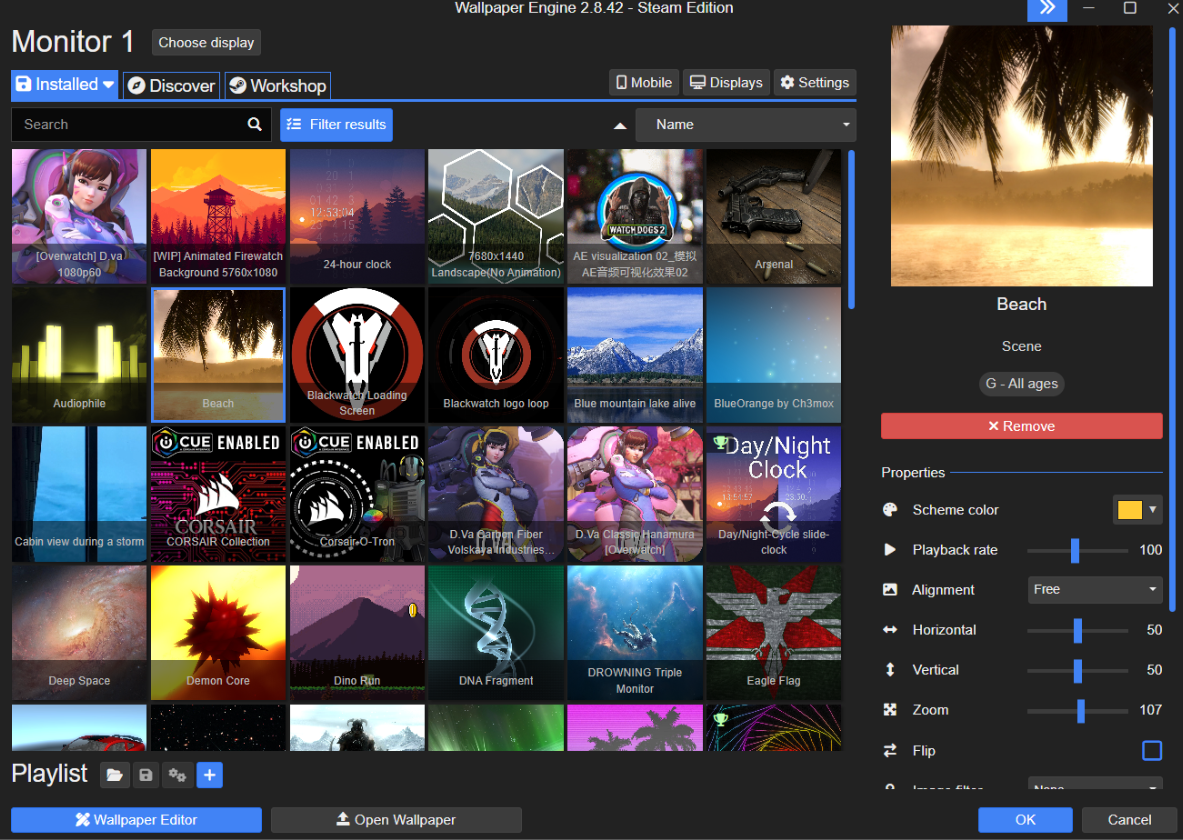
Wallpaper Engine Team
Because Wallpaper Engine isn’t just an app for adjusting your own images or videos, it’s also a database of millions of still photo and video wallpapers submitted by a dedicated collection of users. And the Steam version goes through, well, Steam, so it’s crazy easy to use. Each one of these can be adjusted to suit your system, edited, remixed, and shared with other users. It reminds me of cruising DeviantArt in 2003, trying to nail down my Inspiron 710M’s aesthetics with custom visual styles.
They’re searchable, and there are plenty of curated collections if you don’t want to dive blind. If you like video games and anime, you’ll be in heaven, but there’s plenty of generic art to choose from as well. If I can find an uploaded wallpaper of a Jeep Renegade, I think it’s safe to say you’ll find something you like.
This is what peak performance looks like
“But Michael,” I hear you cry, “You’re a PC gamer! You know that running videos in the background is going to affect your performance!” And that’s true… sort of. For a system as beefy as mine, playing games like Overwatch that are already pretty optimized, it’s not so taxing that it actually goes below the refresh rate of my primary screen.
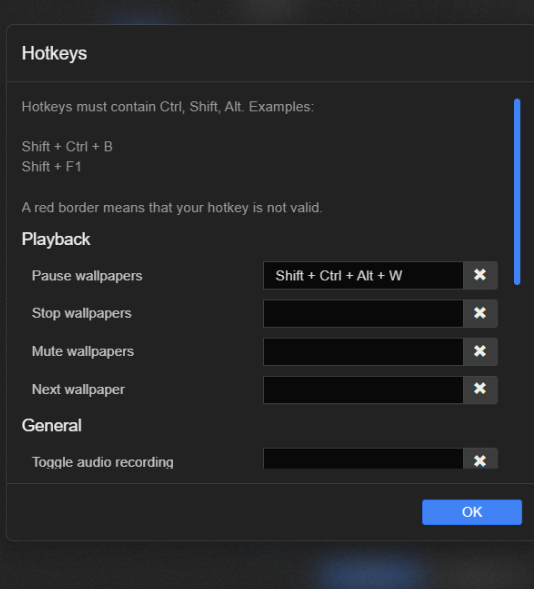
Wallpaper Engine Team
But let’s say you’re concerned anyway, or you’re playing games that are far more taxing. There’s an option to set a hotkey to pause the playback of video wallpapers. I’ve set it to Ctrl-Alt-Shift-W. There are options to go back and forth in your collection too, or hide desktop icons, or even set it to a specific wallpaper.
I could go on for a long time. I could talk about how it integrates with both Razer and Corsair RGB LED setups. I could talk about how it works with Live Wallpapers on Android, too. Suffice it to say, this is a cool and shockingly well-developed tool for just making your desktop look pretty. The community behind it is vast and passionate. And it’s currently just four bucks during the Steam sale.
If you’re looking for a way to get a little more joy out of your PC hardware in This Trying Time, give Wallpaper Engine a try.
Fun stuff from around the web:
- Google made a conveyor belt keyboard, and you can too: This might be the most impractical keyboard since the one made out of knives, but it’s fun. And with open-source software and 3D print files, you’re welcome to give it a shot yourself.
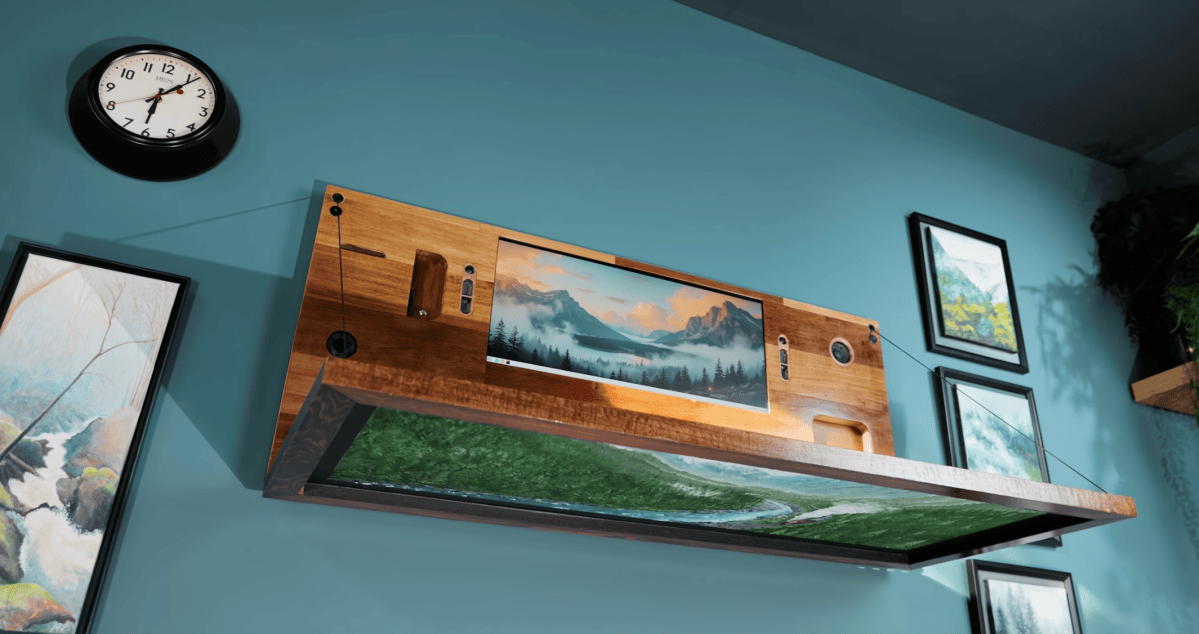
- This guy hid a full PC and desk in a painting: It’s not going to blow anyone away in terms of performance, but DIY Perks’ custom-assembled PC hidden inside a landscape painting looks amazing if you’re in a tight space that you want to keep stylish. I love how the power source is painted right into the wall.
- eGPU docks can be wireless now: A company called WiCi is showing off a wireless GPU dock that connects over a speedy Wi-Fi 7 network. That seems like a tough sell to me for gamers, even before the $10,000 price tag for an RTX 5090 version. But I can’t deny that it’s a neat idea.
- You can use your Steam Deck as a Bluetooth controller: You know, just in case you’re nostalgic for the Wii U and its RSI-inducing boat of a gamepad.
- PNY rejects warranty on its melted RTX 5090, even with its own native PSU cable: Dang, that’s a new low for customer service. Just Reddit users making the claim, so perhaps something else is going on here…but it sure doesn’t look good for PNY.
Game pick of the week: Parkasaurus

Washbear Studio
Since the theme of the week is chill, allow me to introduce you to a game that can be described as: “What if Jurassic Park was adorable?” Parkasaurus tasks you with building up your own zoo full of extinct animals, and they’re all several times cuter than a button. Look at that googley-eyed styrechosaurus, it’s delicious.
The game follows the pretty standard formula of Zoo Tycoon, and not least, officially-licensed Jurassic Park and World games. But it’s at a much lower pace and a much lower intensity. While dinos do occasionally escape, the focus is on keeping the animals healthy and the visitors entertained.
It’s a great second-screen game, but you can also knuckle down and make a prehistoric empire that Disney would envy. Parkasaurus is reasonable at $25, but during the Steam sale it’s under $9, and three DLC packs are also on sale.
That’s all for this week. To get my editorials, news picks, and game recommendations delivered straight to your inbox, you can sign up for Boost Mode on the PCWorld Newsletter hub. Also check out The Full Nerd for more enthusiast-focused goodies, Prompt Mode for AI tips, Safe Mode to keep your PC and gadgets secure, and Smart Mode to boost your productivity.
This articles is written by : Fady Askharoun Samy Askharoun
All Rights Reserved to Amznusa www.amznusa.com
Why Amznusa?
AMZNUSA is a dynamic website that focuses on three primary categories: Technology, e-commerce and cryptocurrency news. It provides users with the latest updates and insights into online retail trends and the rapidly evolving world of digital currencies, helping visitors stay informed about both markets.
